Refer a Friend connects to email platforms, subscriptions, points plugins and translation plugins. This page lists them all and links to the setup guide for each.
Email marketing
Go to WooCommerce → Refer a Friend → Integrations to connect an email platform. Each customer’s referral code is sent to their contact in your platform. You can then put the code or the referral link in your own campaigns.
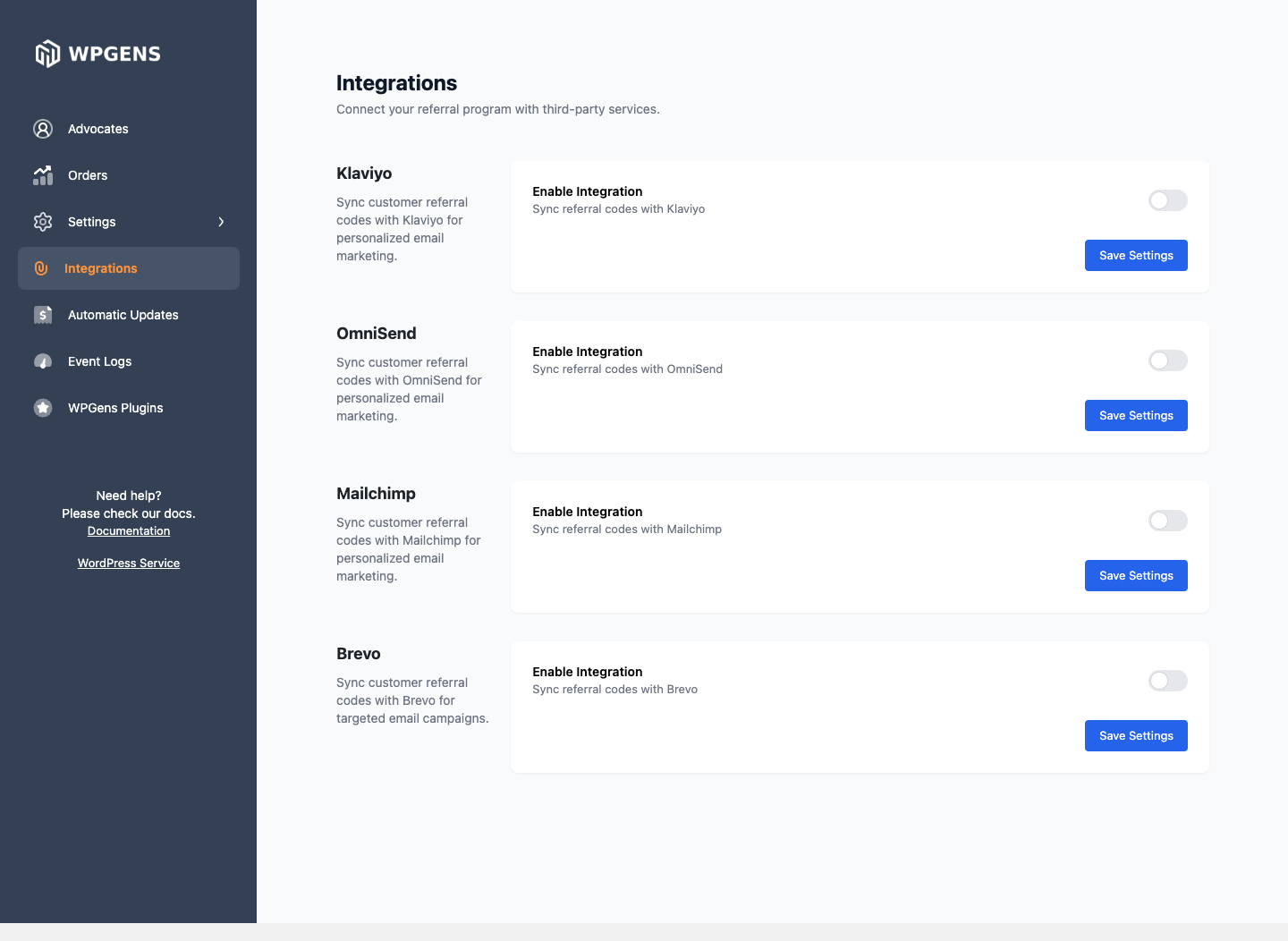
| Platform | What’s sent | Guide |
|---|---|---|
| Klaviyo | Profile properties and a Referral Code Created event | Connect Klaviyo |
| Mailchimp | Merge fields in one audience | Connect Mailchimp |
| Brevo | Contact attributes | Connect Brevo or Omnisend |
| Omnisend | Contact custom properties | Connect Brevo or Omnisend |
Codes are sent when they’re created: when a customer registers, when a guest generates a link, and when you run Create referrals. To send codes that existed before you connected, run Sync to integrations once. See Refer a Friend tools.
Mailchimp and Omnisend add contacts as subscribed. That includes customers who never agreed to marketing emails. If you need consent, for example under GDPR, read the guide for your platform before turning it on.
WooCommerce Subscriptions
Advocates’ referral coupons can be taken off their next renewal automatically, and you can choose to reward advocates on every renewal. See WooCommerce Subscriptions.
Points and store credit
- WPGens Loyalty Program and WooCommerce Points and Rewards can reward advocates with points instead of coupons.
- TeraWallet and other wallet plugins can add store credit with a snippet.
See Reward advocates with points or store credit.
Other plugins
| Plugin | What it does with Refer a Friend | Guide |
|---|---|---|
| Popup Maker | Show the referral link in a popup, or show a popup to visitors who came through a referral link. | Show the referral link after checkout |
| Contact Form 7 | Let customers send a personal invite with their referral link. | Contact Form 7 invites |
| WPML, Polylang, Loco Translate | Translate the plugin’s texts and emails. | Translate Refer a Friend |
| SEO plugins | Set the image shown when links are shared. | Choose the image shown when links are shared |
For plugins and themes that cause problems, see Known compatibility issues.