Most powerful Points and rewards plugin

Points and Rewards for WooCommerce

Turn one-time buyers into loyal customers with Points & Rewards for WooCommerce. Reward customers for purchases, actions, and engagement - encouraging repeat sales and long-term brand loyalty.

  • Flexible earning & redemption rules
  • Seamless WooCommerce integration
  • Reward for various customer actions
  • Automated email notifications
  • Admin panel for easy management
  • Dedicated Points & Rewards landing page
  • Import & export points data
  • Customizable points expiration
  • Refund orders in points
  • Automatically return points
Trusted by 1,200+ WooCommerce stores Direct developer support Current version: 1.4.0 - 11. April 2026

Feature Overview

Everything You Need in a
WooCommerce Points & Rewards Plugin

Build a complete rewards experience with a no-code editor panel. Increase repeat purchases and customer lifetime value with powerful features.

Points & Rewards

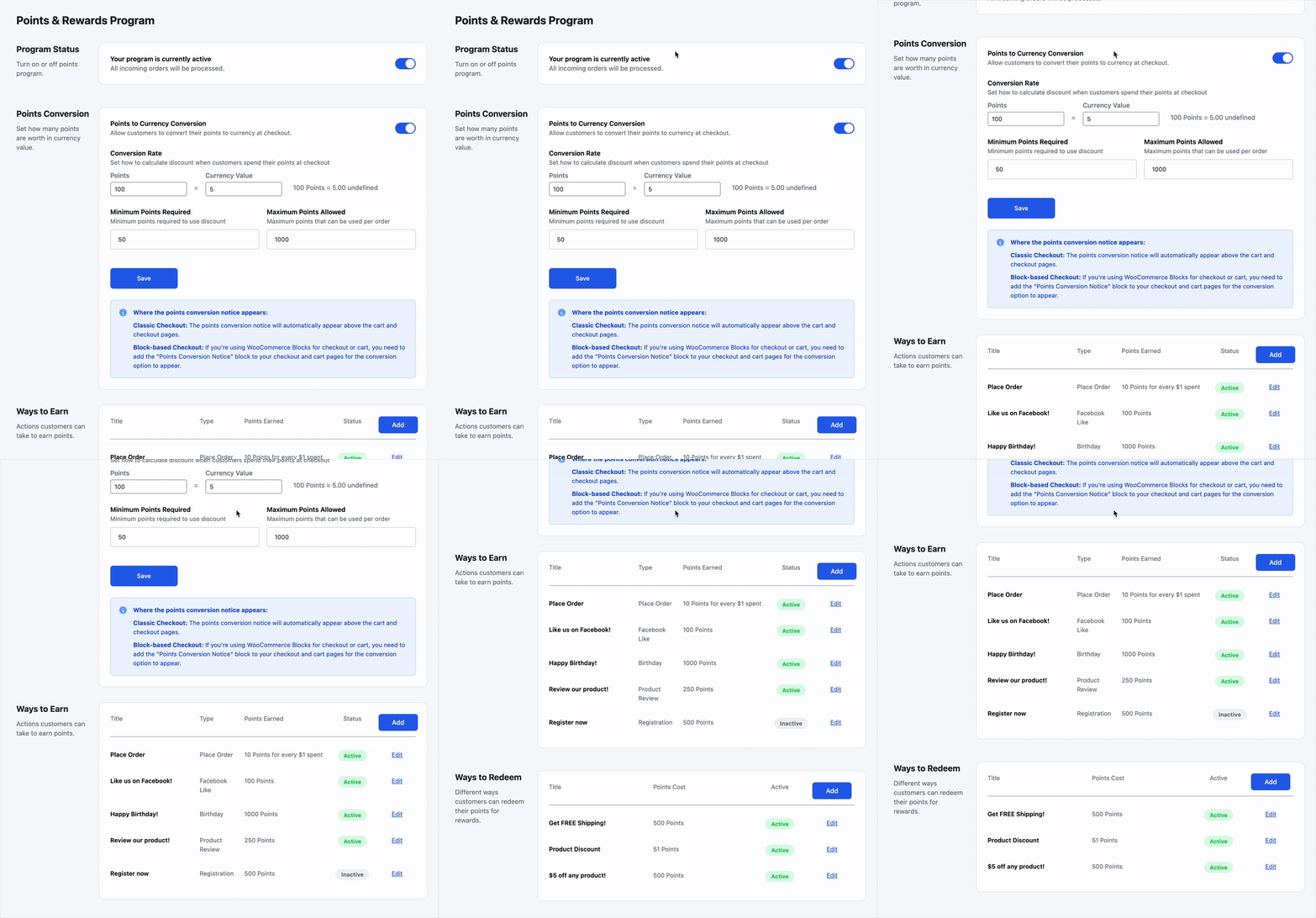
Award points for purchases, reviews, sign-ups and more. Customers redeem them as cart discounts or store credit.

+200
+50
+100

Multiple Ways to Earn

Reward purchases, sign-ups, reviews, social shares, birthdays, and referrals. Full control over earning rules.

Purchase order +1pt/$1
Create account +100
Leave a review +50
Birthday bonus +200

Flexible Redemption

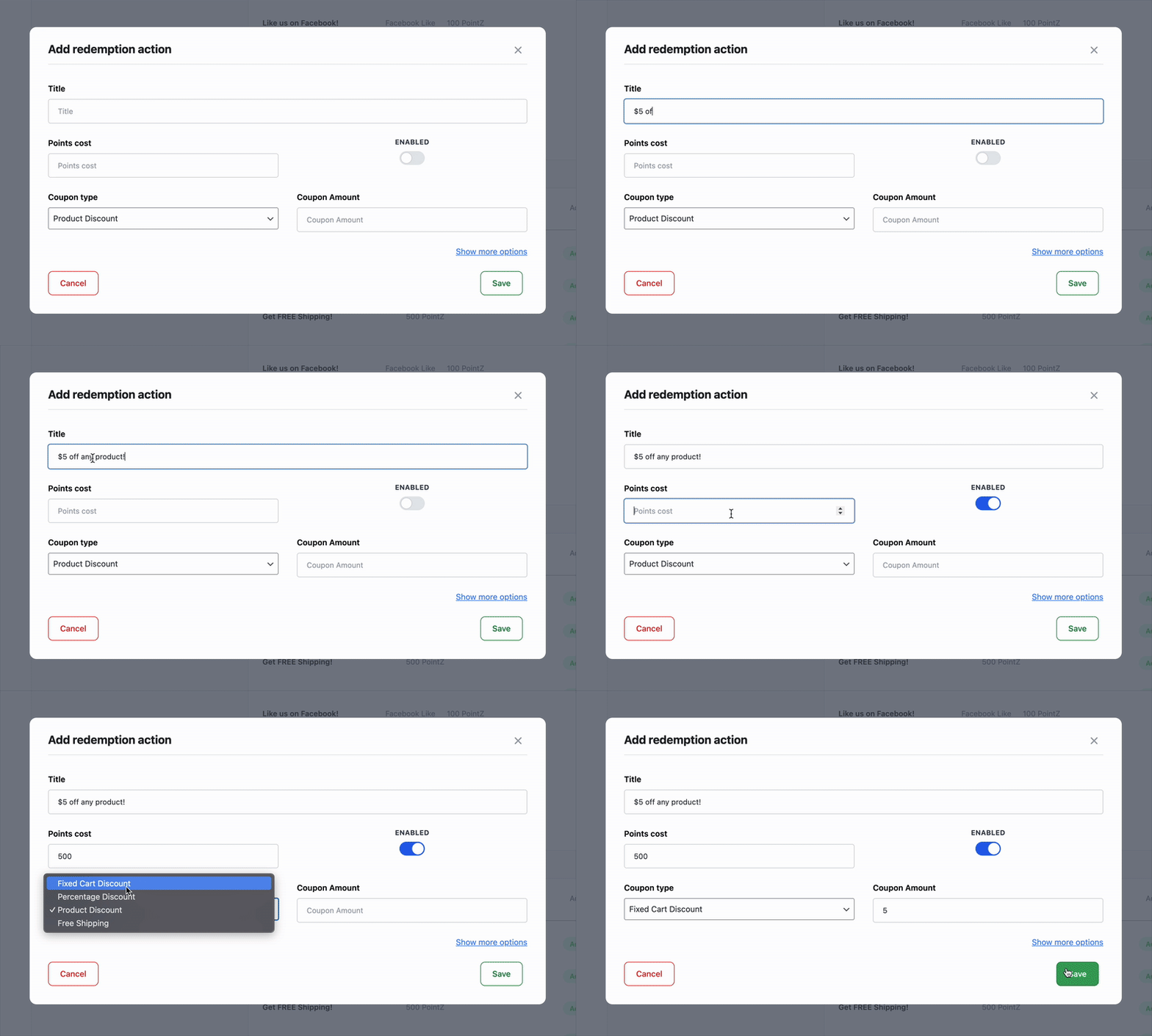
Customers redeem points for discounts, free shipping, or exclusive products. Multiple redemption options available.

$
Cart Discount
100pts = $10
F
Free Shipping
500pts
P
Exclusive Product
1000pts

Comprehensive Dashboard

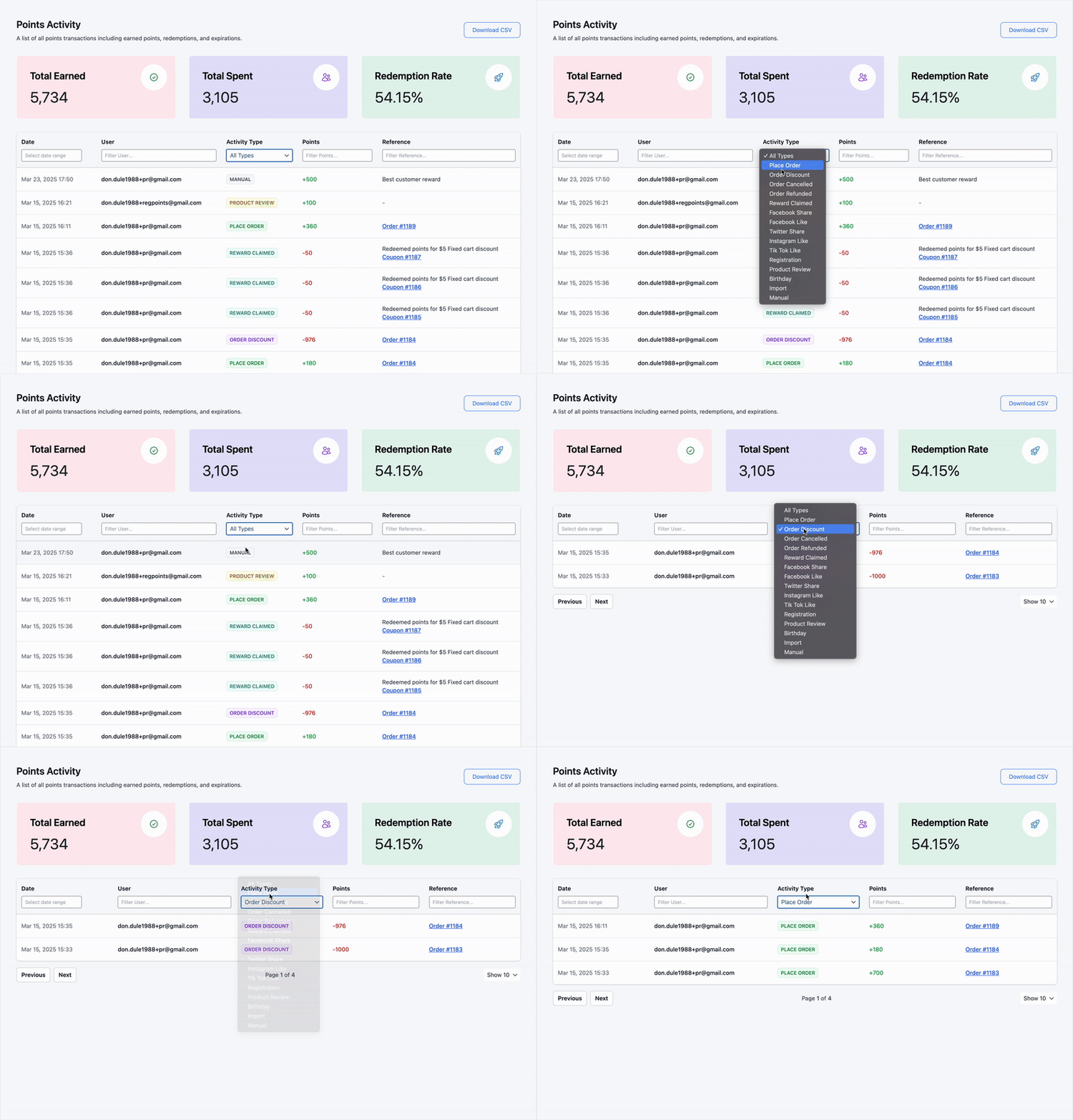
Monitor points activity in real time. Manage member points, import/export data, and track all program metrics.

Points Earned 24,580
Points Redeemed 12,300
Active Members 847

Automated Emails

Send expiration reminders, redemption confirmations, and points-earned notifications. Customizable email templates.

Points Expiring Soon
Points Earned
Redemption Confirmed

Klaviyo Integration

Automate personalized reward offers. Send targeted emails based on customer points activity and engagement.

K
Klaviyo
Points & activity sync

More integrations coming soon

Points and Rewards for WooCommerce - Why Choose Points and Rewards

Boost Customer Loyalty

Why Choose Points and Rewards for WooCommerce?

A well-structured rewards program can turn casual shoppers into loyal customers. With WooCommerce Points and Rewards, you can do the following:

  • Increase repeat purchases by rewarding customers with points for every order, encouraging them to return and shop more often
  • Enhance customer engagement by offering points for actions like signing up, leaving reviews, or following you on socials, keeping customers actively involved with your store
  • Encourage word-of-mouth growth by rewarding customers who refer new shoppers, helping you expand your customer base through built-in referral options

By offering incentives for purchases, referrals, and engagement, you motivate customers to interact with your store more frequently, ultimately increasing revenue and brand loyalty.

For even more referral features, you can also pair this with our WooCommerce Refer a Friend PREMIUM.

Points and Rewards for WooCommerce - Ways to earn

Earn Points Easily

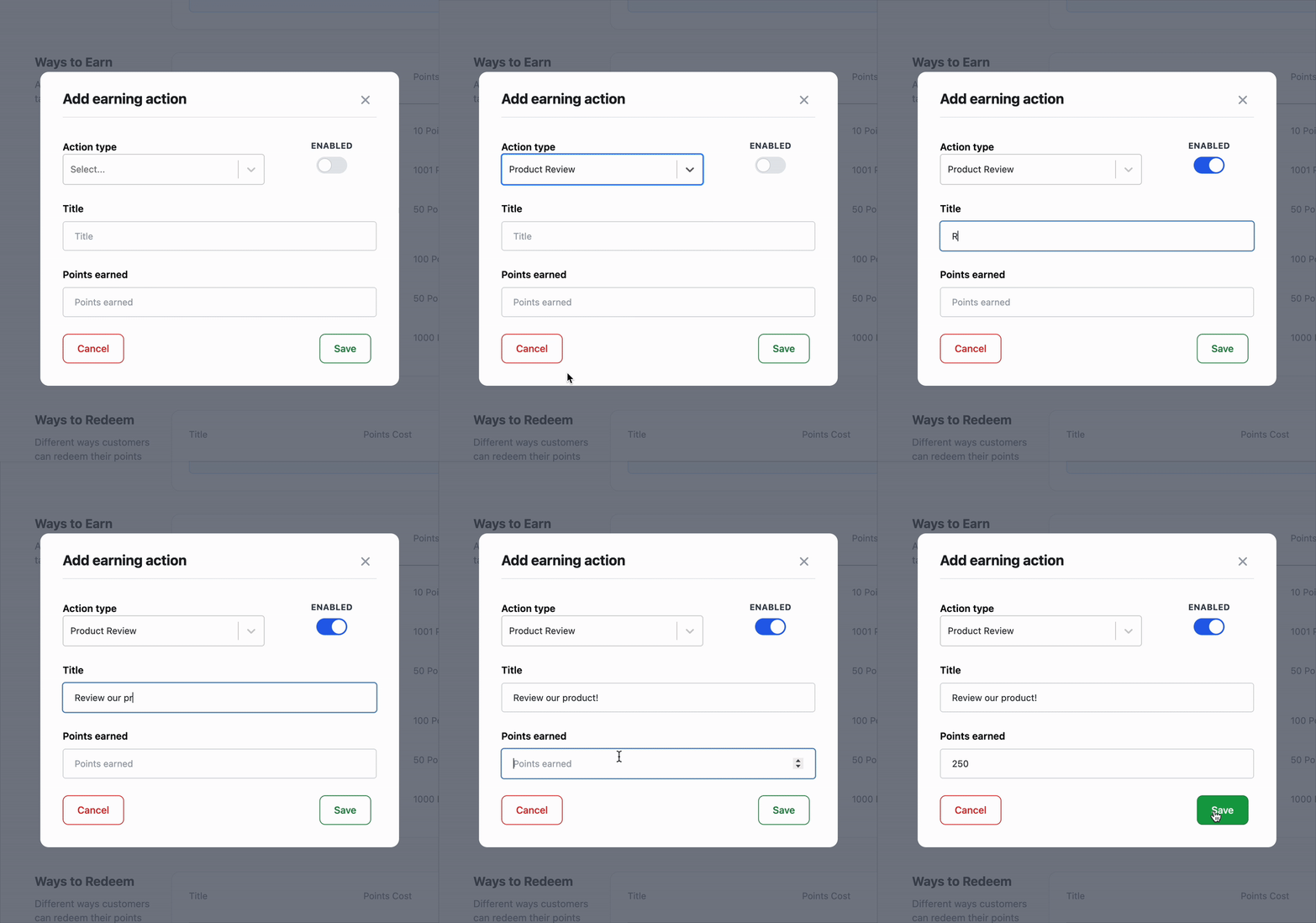
Ways to Earn Points

Encourage customer participation with a WooCommerce rewards program that offers points for purchases, sign-ups, referrals, and social engagement.

  • Reward purchases by assigning custom point values per dollar spent, giving customers an incentive to shop more frequently
  • Encourage sign-ups by offering bonus points to new customers when they create an account, increasing user registrations
  • Incentivize reviews and ratings by granting points for customer feedback, helping build trust and social proof for your products
  • Promote social sharing by rewarding customers who like or follow you on your social pages
  • Celebrate birthdays by giving bonus points to customers on their special day, making them feel valued and appreciated
Points and Rewards for WooCommerce - Ways to redeem points

Redeem Rewards Effortlessly

Ways to Redeem Points

Customers love flexibility. Let them redeem their points in ways that enhance their shopping experience. Customers can use their earned points in various ways:

  • Offer discounts on purchases by allowing customers to convert their points into store discounts, making their shopping experience more rewarding
  • Unlock exclusive rewards by letting customers redeem points for special products or limited-time offers, increasing engagement and loyalty
  • Provide free shipping benefits by enabling customers to use their points to cover shipping costs, adding extra value to their purchases

Give customers more options by offering multiple ways to redeem their points, ensuring a flexible and engaging rewards experience.

Points and Rewards for WooCommerce - Dashboard - Points activity

Manage Points with Ease

Comprehensive Dashboard & Member Management

Stay in control of your rewards program with a simple yet powerful admin dashboard that lets you monitor points activity and manage users effortlessly.

  • Monitor points activity in real time with a comprehensive admin dashboard that gives you full visibility into earned, redeemed, and expired points
  • Easily manage member points by assigning, adjusting, or removing points manually, ensuring flexibility and control over your rewards program
  • Simplify data management by importing and exporting points across user accounts, making it easy to transfer or update customer balances efficiently

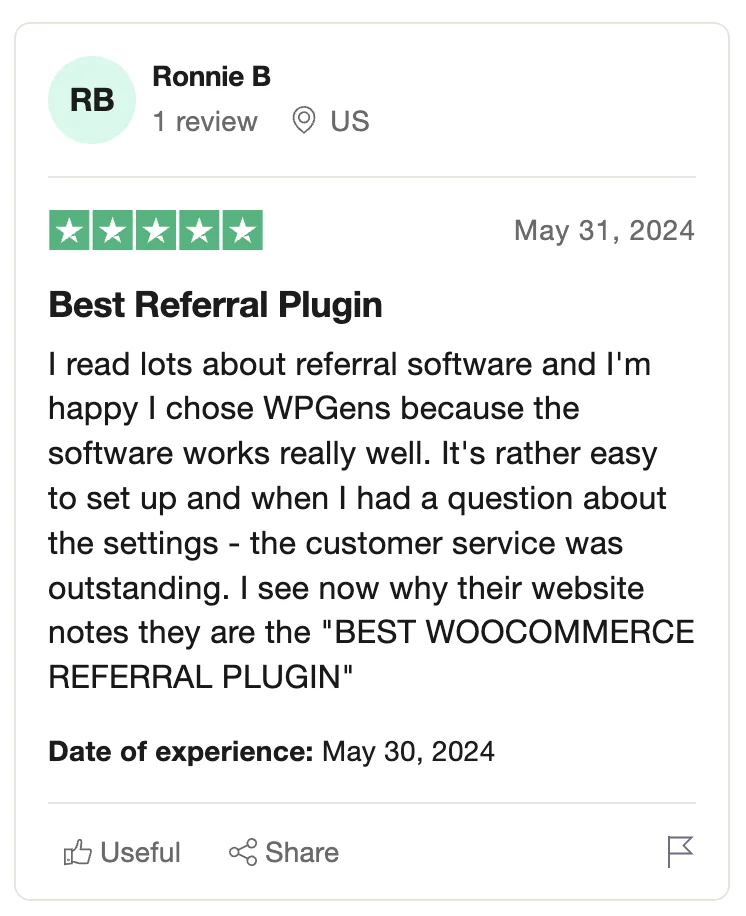
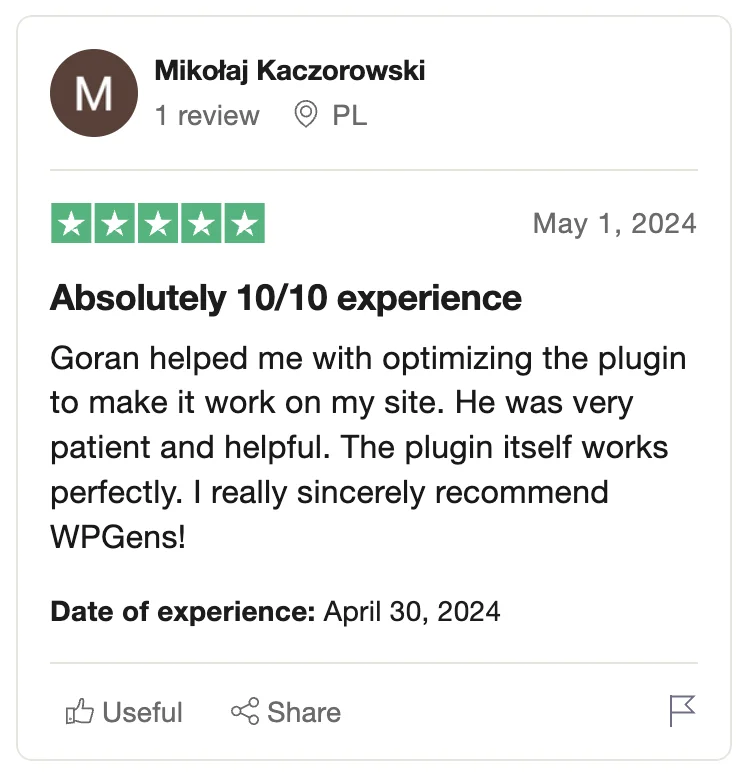
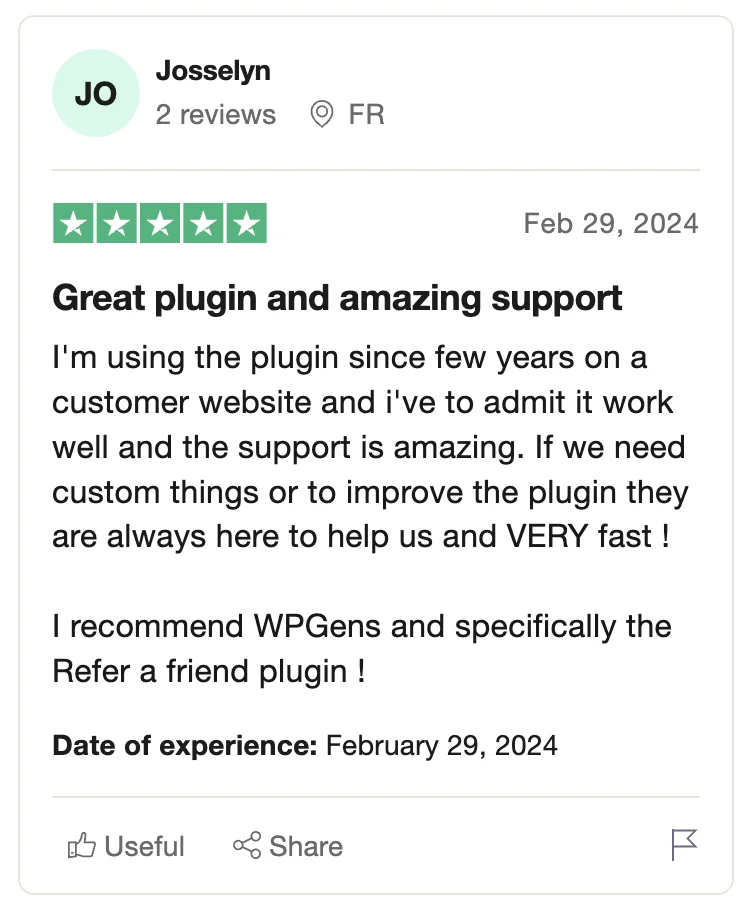
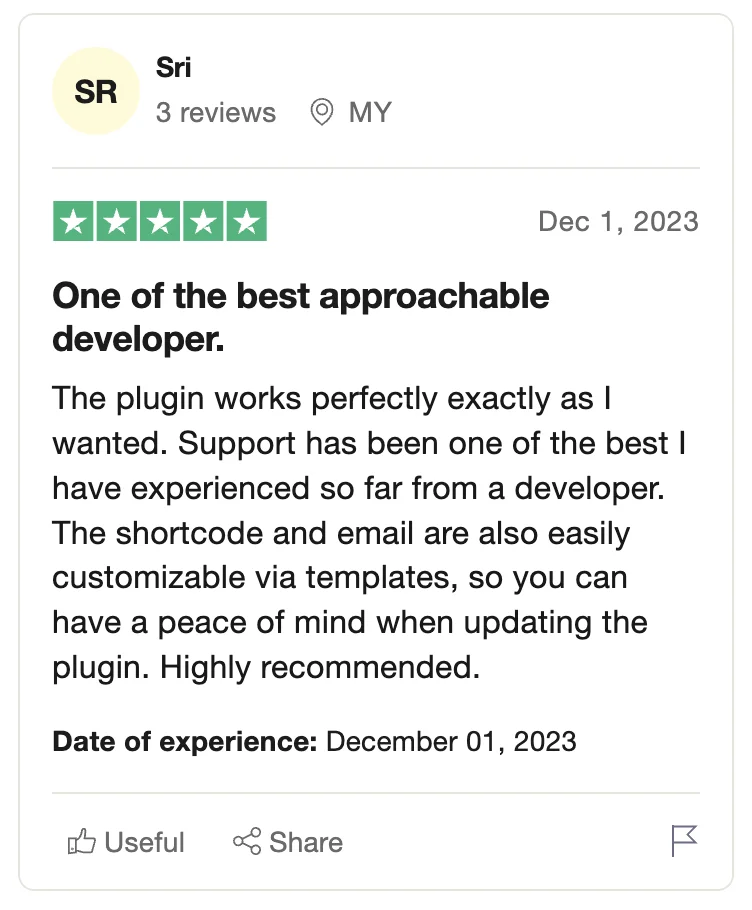
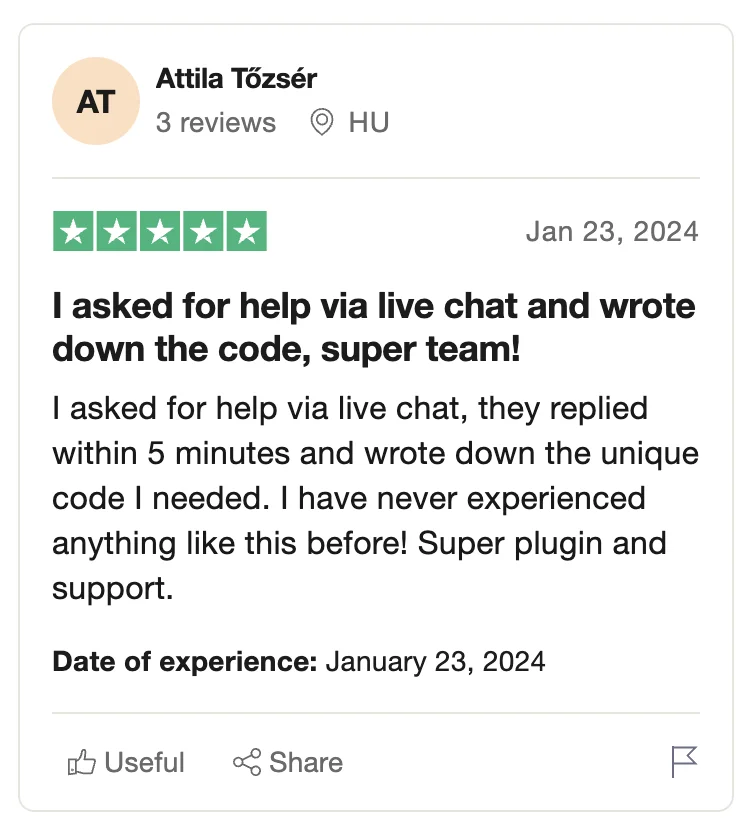
Real Customer Reviews

Trusted on Trustpilot

Rated 4.8/5.0 on Trustpilot
Points and Rewards for Woocommerce - Settings - Award Points on Order Status

Effortless WooCommerce Compatibility

Seamless Integration with Your Store

Designed for WooCommerce, this plugin ensures an intuitive and hassle-free experience for both store owners and customers.

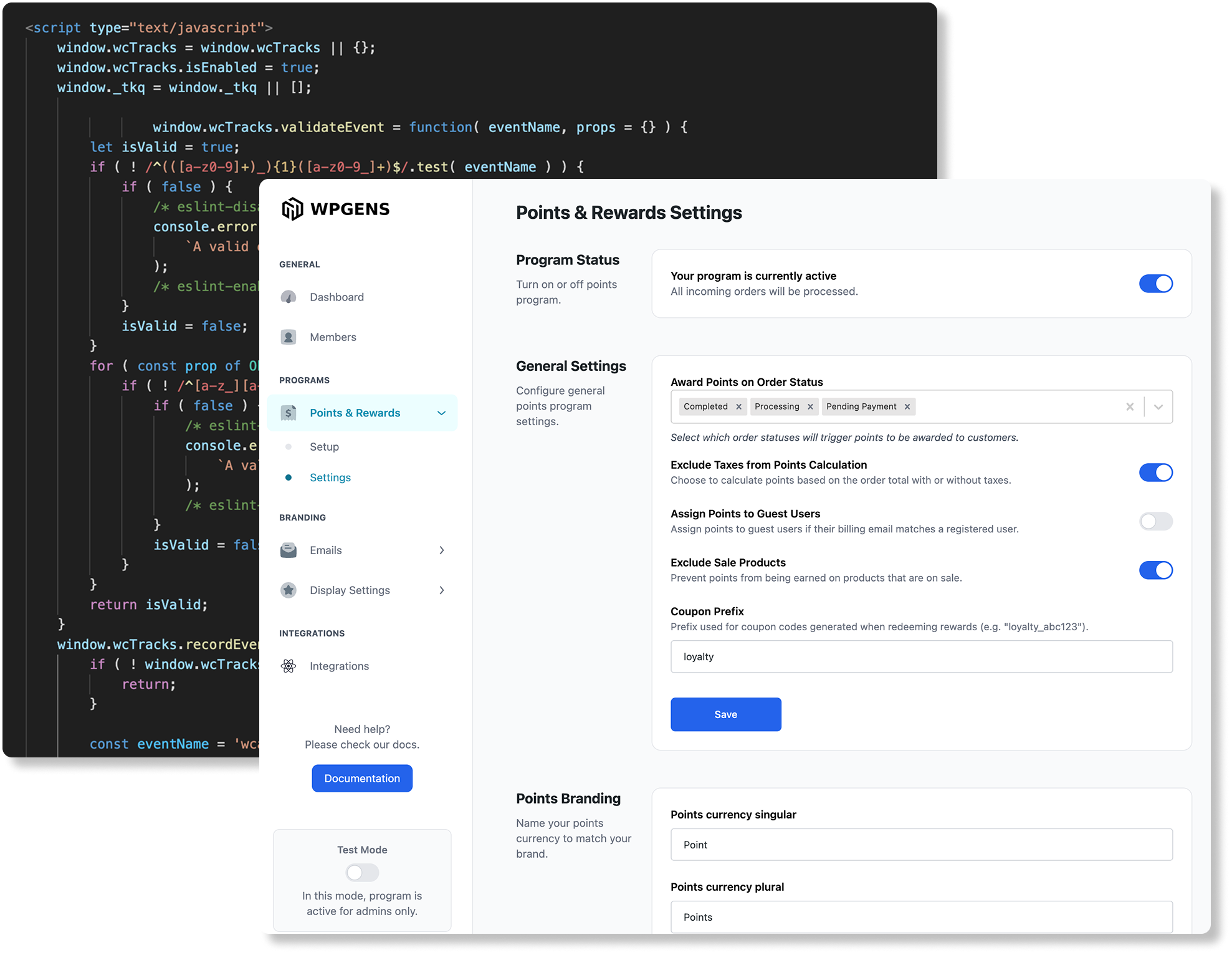
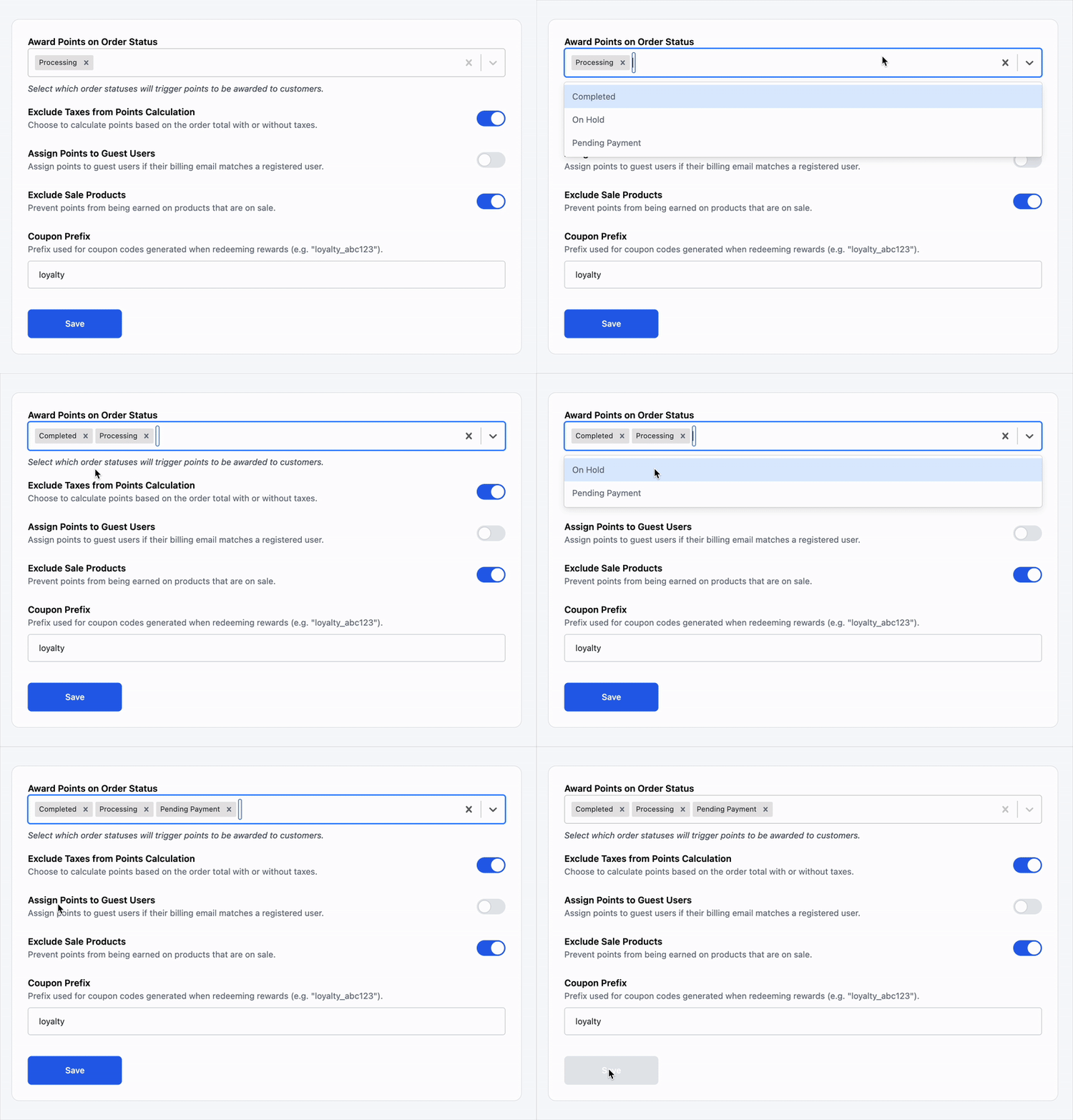
  • Award points based on order status by choosing when customers receive their rewards, such as upon order completion, ensuring a seamless earning process
  • Customize points displayed across your store by adjusting how points appear on product pages, the cart, and checkout, creating a clear and engaging shopping experience
  • Set expiration rules to encourage faster redemption and keep customers actively using their points before they expire, driving repeat purchases
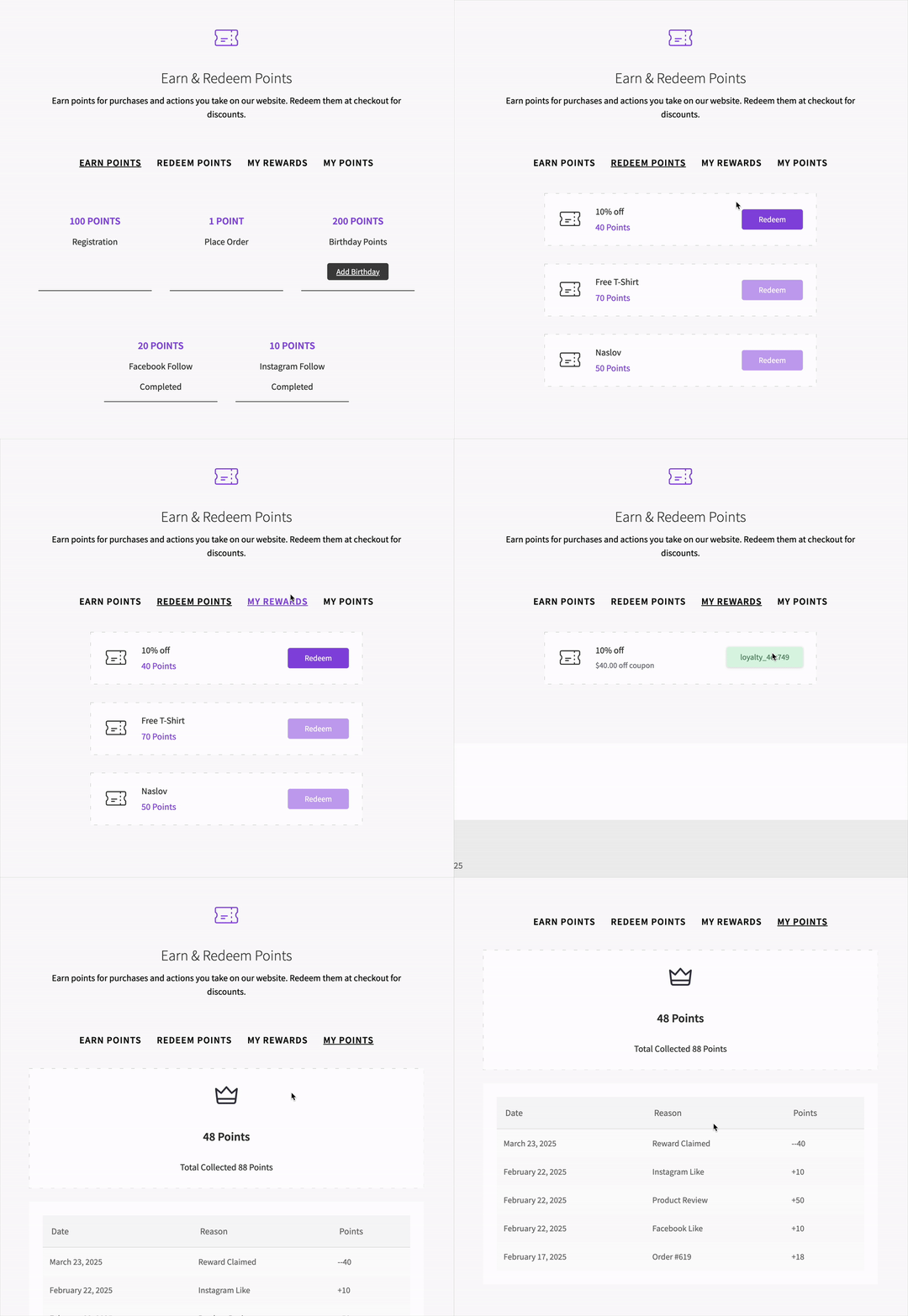
Points and Rewards for WooCommerce - Dedicated landing page

Dedicated Landing Page

Customer-Focused Experience

Make it easy for customers to track and use their points with a dedicated Points and Rewards page for a seamless rewards experience.

  • Customers can easily track earned and redeemed points with a detailed history that shows when and how points were accumulated or used, providing full transparency
  • Never miss an opportunity to redeem by sending automated points expirations emails, encouraging customers to use their rewards before they expire
  • Explore a variety of redemption options with a clear overview of available rewards, including discounts, exclusive products, and other special offers
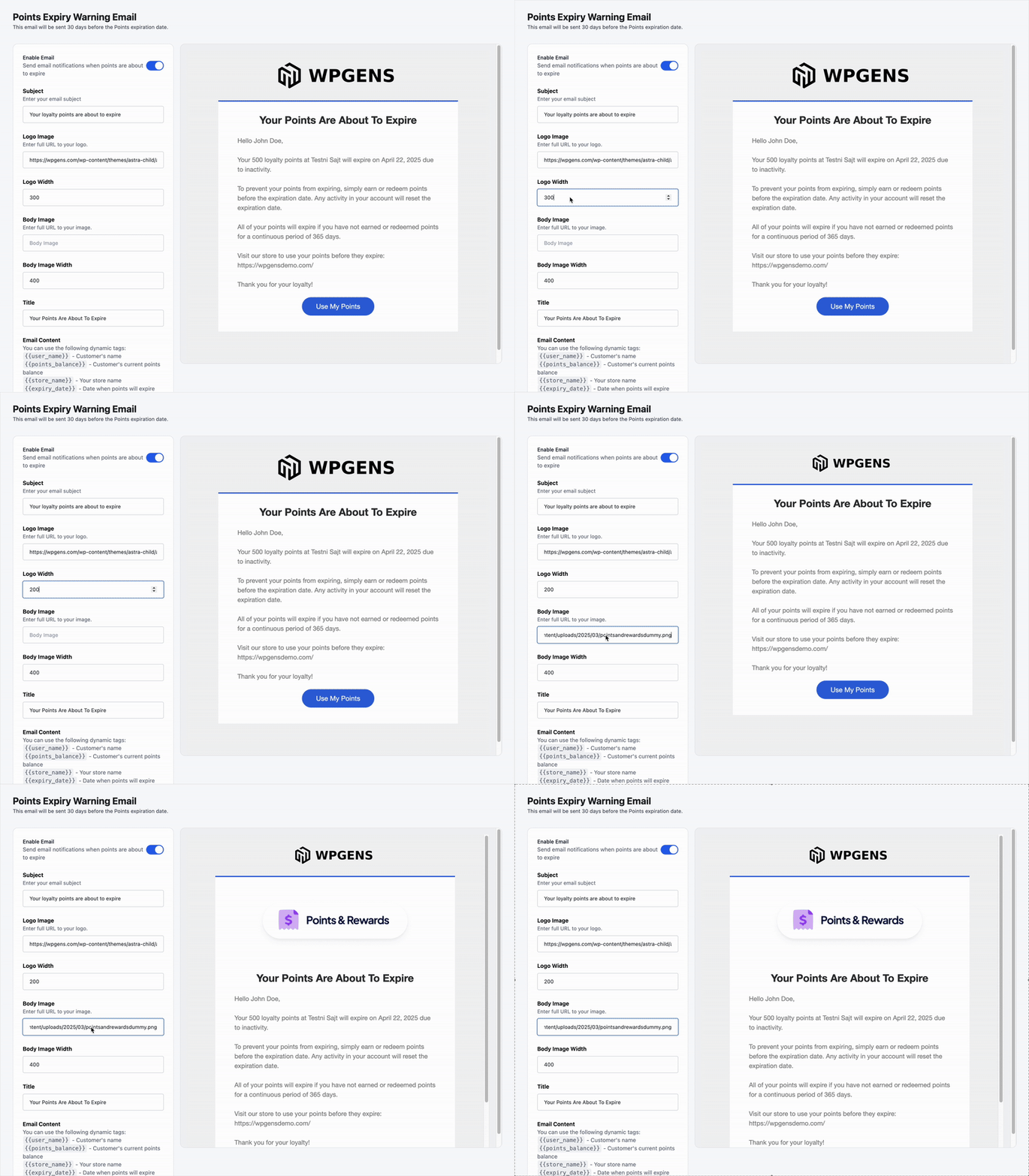
Points and Rewards for WooCommerce - Automated Email Notifications

Stay Connected with Emails

Automated Email Notifications

Keep customers engaged with timely email alerts about their rewards status, ensuring they never miss an opportunity to redeem points.

  • Remind customers of expiring points with automated emails that encourage them to redeem their rewards before they are lost, driving repeat purchases
  • Confirm successful redemptions by sending notifications when customers use their points, reinforcing engagement and satisfaction
  • Ensure a seamless email experience by testing notifications before they go live, allowing you to customize templates and maintain brand consistency
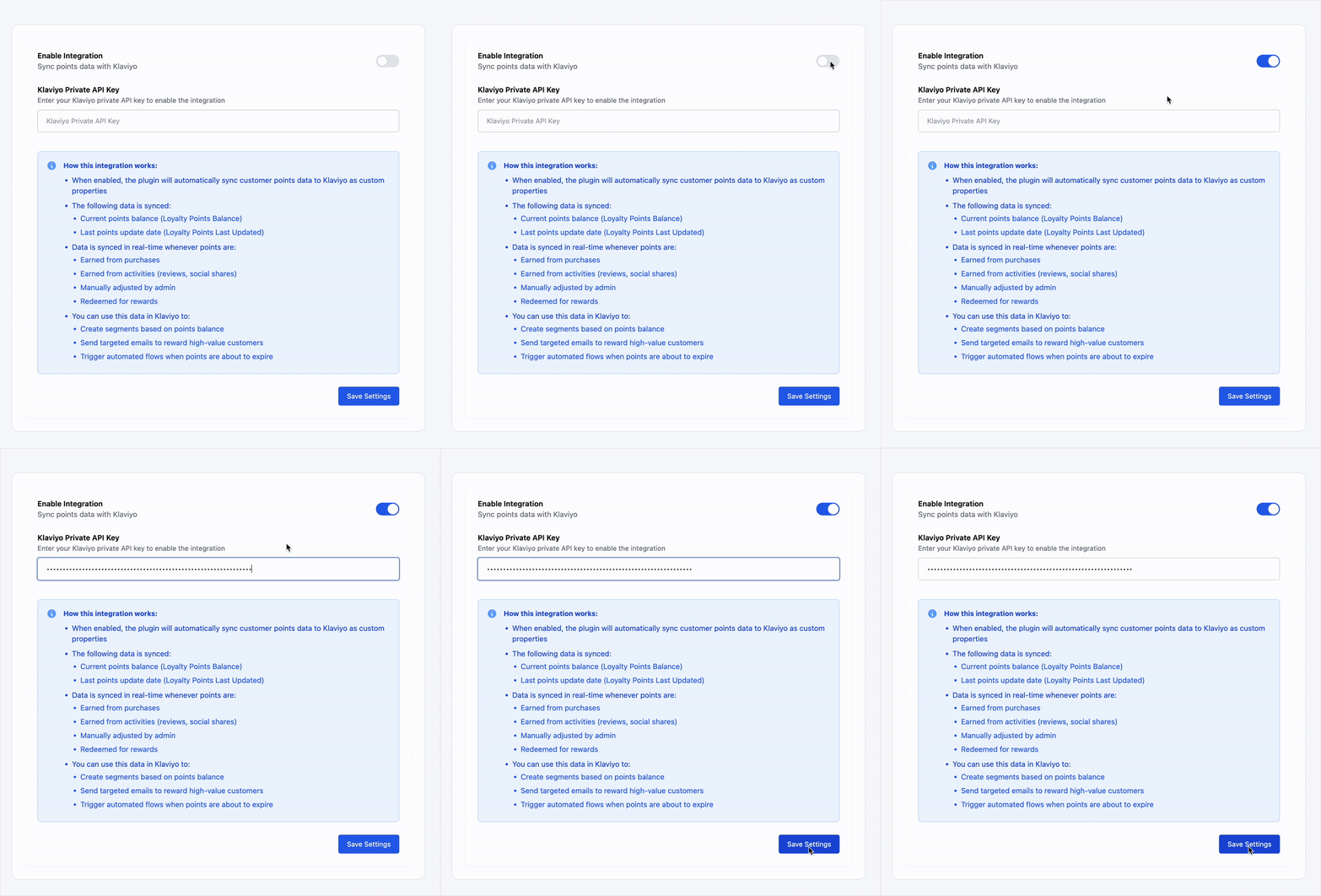
Points and Rewards for WooCommerce - Klaviyo Integration

Expand with Integrations

Powerful Integrations

Supercharge your WooCommerce rewards program with integrations that help automate and personalize the customer experience.

  • Automatically sync customer points with leading marketing platforms like Klaviyo, MailChimp, OmniSend, and Brevo to keep your loyalty data up-to-date.
  • You can also reward customer reviews with our Judge.me integration - automatically grant points for written reviews to encourage engagement and build trust.
Points and Rewards for WooCommerce - Made for developers and non-developers

Customization

Made for non-developers and developers

If you are not a developer, we have a user-friendly administration panel designed to easily customize the Points and Rewards program according to your requirements. In case you require advanced functionalities or customizations, we provide extensive documentation detailing how to achieve that here: WooCommerce referral plugin documentation.

If you are a developer, you will be glad to hear that the whole frontend is done through templates that you can copy to your theme folder and completely change the code. Just like you would do with the WooCommerce files. We also have plenty of actions and filters that you can use to change functionalities.

Like every one of our plugins, Points and Rewards for WooCommerce plugin is coded with best practices in mind. It is very light and will not slow down your website. There is no big setup. Simply install, activate, and choose the coupon type for your referrals. That's it! You have a referral system in place.

And with the money back guarantee, there is no reason not to try it out.

Simple & Powerful

How does the Points and Rewards for WooCommerce plugin work?

Points & Rewards for WooCommerce helps you build customer loyalty and increase repeat purchases by rewarding users with points for various actions. These points can later be redeemed for discounts or rewards on future purchases. Here is what a basic flow would look like.

1

Earn points through purchases and other actions

Reward users when they shop or interact with your store.

  • A customer places an order on your store.
  • The system automatically awards points based on the order total (e.g., 1 point per $1 spent).
  • Points are credited once the order reaches a specific status (e.g., Completed – configurable in settings).
  • Admin can also define additional ways to earn:
  • Registering an account
  • Purchasing a product
  • Referring friends (if integrated with Refer a Friend plugin)
  • These rules are set up from Points & Rewards > Program Setup > Ways to Earn.
2

Redeem points for discounts or rewards

Let customers use their points to get discounts during checkout.

  • Customers go to the "Redeem Points" section either on the dedicated landing page or on the My Account page.
  • They choose how many points they'd like to redeem, either through preset redemption actions or by converting points into store credit during checkout.
  • A coupon is automatically generated based on your conversion settings (e.g., 100 points = $10).
  • Under Points & Rewards → Setup, you can configure redemption conversion rates and set the minimum number of points required for redemption.

Trusted by Store Owners

What Our Customers Say

4.8 average across all reviews

"Hands-down the best technical support I've ever had with 10+ years experience working with e-commerce software. Got a response within an hour even late night at weekends."

Michel
Verified via Trustpilot

"I tried all the RAF plugins. Goran not only replied immediately to my support request, he replied multiple times until we sorted out the problem -- even on Christmas Eve! Best customer experience I've ever had with any software company."

pooley67
Verified via WordPress.org

"After evaluating numerous reward points plugins, WPGens's solution stood out as the clear winner. Works really well, easy to set up, and the customer service was outstanding."

jbowab

Simple Pricing

Choose Your Licence

Yearly Lifetime

Billed annually until canceled. Cancel anytime from your account.

1 Site

Perfect for a single store

$89 /year
  • All features included
  • 1 year of updates & support
  • 14-day money-back guarantee
Buy Now
100% Money Back Guarantee

100% No-Risk Money Back Guarantee

You are fully protected by our 100% Money Back Guarantee. If you are not completely satisfied within 14 days of purchase, we will happily issue a full refund -- no questions asked, no hoops to jump through.

Current version: 1.4.0 | Last updated: April 2026 | Compatible with WooCommerce 8.x+

Frequently Asked Questions

Find answers to common questions about Points and Rewards for WooCommerce. Need more help? Our support team is here for you.

Is buying a plugin a one-time purchase?
You are free to use the purchased plugin indefinitely. When you buy a plugin license, you gain access to updates and support for one year. To continue receiving support and updates after the initial year, you'll need to renew the license.
What happens if your licence expires?
If your license expires, you may continue using the plugin on your site indefinitely. However, please note that you won't be able to access the file for download or receive any further support or updates for the plugin.
How do you provide support?
For Free plugins, we offer support via WordPress.org. For PREMIUM plugins, such as WPGens Points & Rewards for WooCommerce, or WooCommerce Refer a Friend PREMIUM plugin, we offer support via email or chat. We are proud to say that our response rate is less than a few hours 90% of the time, but all questions are guaranteed to be answered within 1-2 business days.
How can customers earn points?
Customers can earn points by completing specific actions that you define in the Ways to Earn section (found under Points & Rewards → Setup → Ways to Earn). Popular examples include creating an account, making a purchase, referring friends, celebrating birthday, and many more.
How do customers redeem points?
Customers can use their points at checkout if the Points to Currency Conversion option is enabled under Points and Rewards → Setup. Alternatively, you can offer specific rewards (e.g., "Get $15 off for 150 points") by configuring them in the Ways to Redeem section. Customers can view their available points and any redeemable rewards on their Points and Rewards landing page.
Can I control how and where points are displayed to customers?
Yes! In the Display Settings, you can show the number of points earned above the product price, display the customer's points balance in the cart and at checkout, customize the Points and Rewards Landing page using the shortcode [WPGENS_POINTS_PAGE].
Is it possible to limit the number of points used per order?
Yes. In the Setup → Points Conversion section, you can define the maximum number of points a customer can apply per order, as well as set a minimum required to redeem points.
Can I notify customers about their points activity via email?
Of course! The plugin comes with two built-in email templates - Points Expiry Warning Email & Reward Redeemed Email.
Can I connect the plugin with email marketing tools?
Yes! The plugin integrates with Klaviyo under the Integrations tab, allowing you to sync loyalty data such as current points balance & date of last update.
Do you offer refunds?
Absolutely! We provide a 14-day money-back guarantee for any reason. If you discover that the Woo referral plugin doesn't meet your requirements, simply get in touch with us, and we'll promptly process a refund for you.
Still have questions? Contact our support team

Ready to reward your customers?

Give your customers a reason to come back. 14-day money-back guarantee, no questions asked.

/year
Buy Now

Select Plan

1 Site Perfect for a single store
$89
Lifetime Pay once, updates forever
$179