This guide takes you from purchase to an installed, licensed copy of Refer a Friend Premium. It takes about five minutes.
Before you start: you need an Administrator account on your store and the email address you used to buy the plugin on wpgens.com.
Step 1: Download the plugin
- Log in to wpgens.com and open Purchase History.
- Find your Refer a Friend order and click View Details and Downloads.
- Click the download link to save the plugin
.zipfile to your computer. Don’t unzip it.
While you’re on that page, open View Licenses and copy your licence key. You need it in step 4.
Step 2: Remove the free version, if you have it
Skip this step if you never installed the free version from WordPress.org.
- In your store admin, go to Plugins → Installed Plugins.
- Find Refer A Friend for WooCommerce by WPGens and click Deactivate, then Delete.
Deleting the free version doesn’t delete your settings or the referral codes your customers already have. Premium reads the same data.
Don’t activate Premium while the free version is still active. The two versions register the same hooks and can cause a fatal error.
Step 3: Install and activate
- Go to Plugins → Add New Plugin and click Upload Plugin.
- Click Choose File, select the
.zipfile from step 1 and click Install Now. - Click Activate Plugin.
You’ll now find the plugin under WooCommerce → Refer a Friend.
If WordPress says the file is too large or the upload fails, ask your host to raise the upload limit, or upload the unzipped folder to wp-content/plugins/ over SFTP.
Step 4: Add your licence key
The licence key turns on automatic updates. The plugin works without it, but you won’t get security and compatibility updates.
- Go to WooCommerce → Refer a Friend → Automatic Updates.
- Paste your key into Licence Key and click Save.
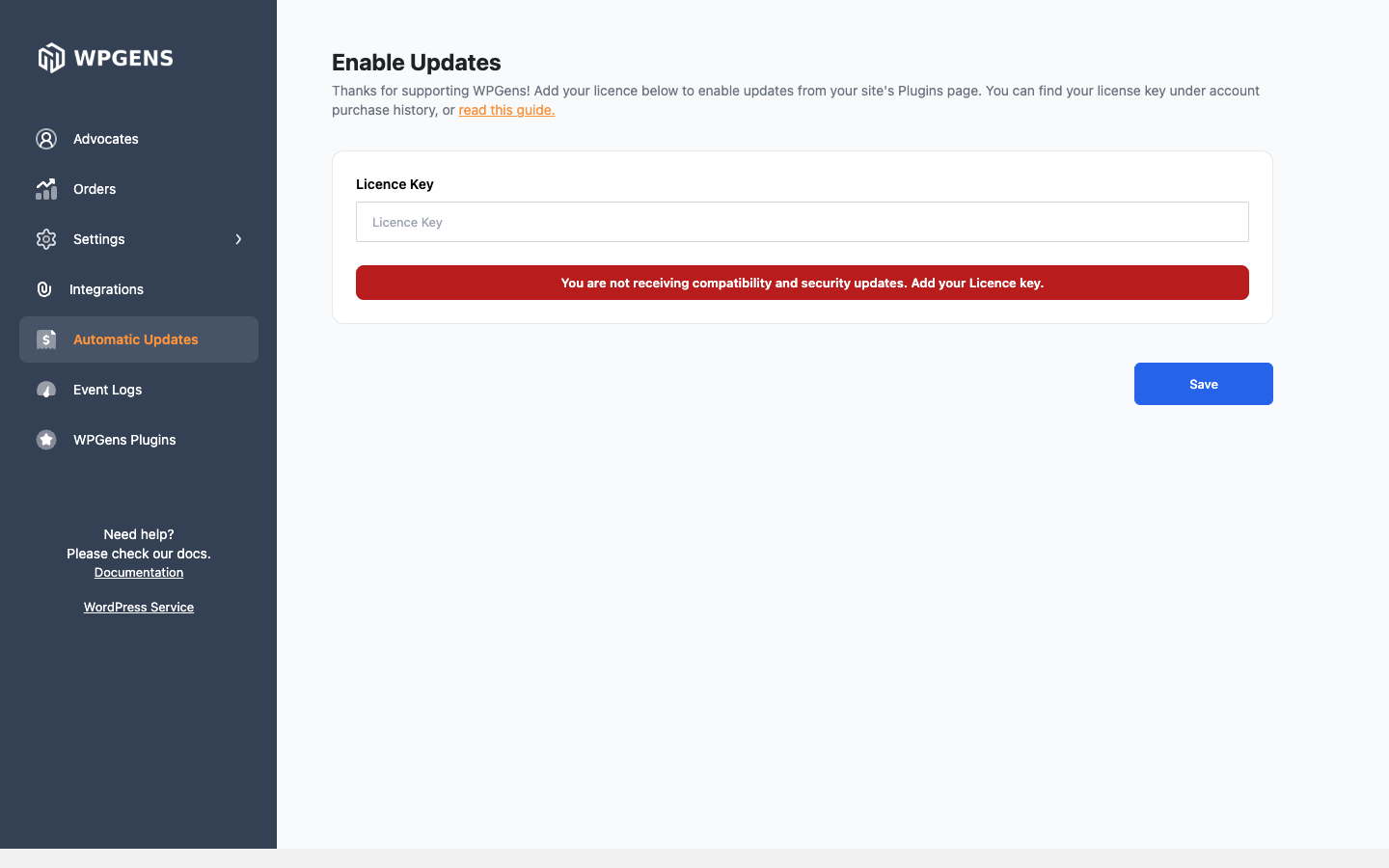
A green message confirms that the key is valid. If you see an error, check the table below.
| Message | What it means | What to do |
|---|---|---|
| Your license is not active for this URL. | The key isn’t activated for this domain. | Save the key again on this site. If it still fails, contact support with your domain. |
| Your license key has reached its activation limit. | The key is already used on as many sites as your plan allows. | Deactivate it on a site you no longer use, or upgrade your licence. |
| Your license key expired on … | Your yearly licence has ended. | Renew it from your wpgens.com account. The plugin keeps working, but without updates. |
| This appears to be an invalid license key for … | The key belongs to another WPGens product. | Use the key shown for Refer a Friend under View Licenses. |
Local and staging sites, such as domains ending in .local or .test, or starting with staging. or dev., don’t count toward your activation limit.
Check it worked
- Plugins → Installed Plugins lists Refer a Friend for WooCommerce PREMIUM as active, and the free version is gone.
- WooCommerce → Refer a Friend opens the admin with Advocates, Orders and Settings in the sidebar.
- Automatic Updates shows that your licence is active.
If the admin screen is blank or only shows a spinner, see Premium won’t activate or the settings page is blank.
Next step
Set up your program with Quick start: launch your referral program.