Refer a Friend gives every customer a personal referral link and code. When a friend buys through that link or code, the plugin can give the friend a discount and send the customer who shared it a reward coupon.
This page explains the flow and the terms used in the rest of the documentation. If you just want to set things up, go to Quick start: launch your referral program.
The referral flow
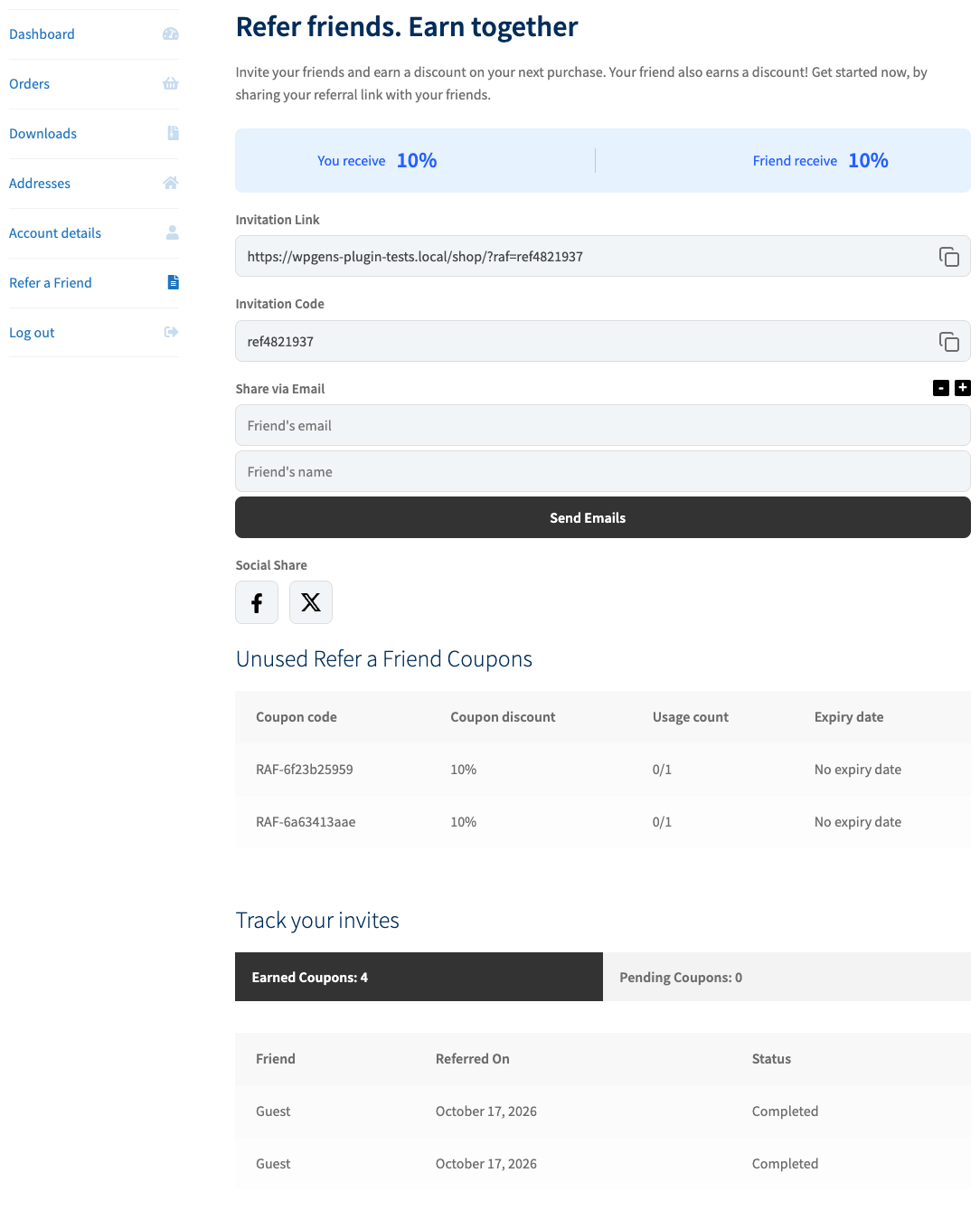
- An advocate shares. A customer (the advocate) copies their referral link or code from My Account → Refer a Friend, a product page tab, the thank-you page or a shortcode, and sends it to a friend.
- The friend arrives. The friend opens the link. The plugin stores a cookie called
gens_rafin their browser for the number of days set in Cookie Time (7 by default). A friend can also type the advocate’s code in the coupon field at checkout instead of using the link. - The friend gets a discount (optional). If First Purchase Discount is on, the plugin automatically applies a coupon you created in WooCommerce when the friend reaches the cart or checkout.
- The friend places an order. At checkout, the plugin runs its fraud checks and saves the result on the order in the Refer a Friend Data box.
- The order reaches the reward status. When the order reaches the status set in Generate Referral Reward On (Completed by default), the plugin creates a one-time coupon for the advocate and emails it to them.
- The advocate spends the reward. The coupon appears under My Account → Refer a Friend → Unused Refer a Friend Coupons and works only for the advocate’s email address.
Nothing is rewarded at the moment the friend pays. The advocate’s coupon is created only when the order reaches the Generate Referral Reward On status. If your orders stay in Processing, change that setting or mark orders as Completed.
Glossary
| Term | Meaning |
|---|---|
| Advocate | The existing customer who shares their link or code. Also called the referrer. |
| Friend | The person who was referred and places an order. |
| Referral link | The advocate’s personal URL, for example https://yourstore.com/?raf=ref4821937. |
| Referral code | The part after ?raf=. It always starts with ref followed by seven digits. A friend can type it in the coupon field if Enable Referral Codes is on. |
| Referral landing page | The page referral links point to. It is the homepage unless you set Referral landing page in Display Settings. |
| Advocate reward | The coupon the advocate receives after a successful referral. Its codes start with RAF-. |
| First purchase discount | The coupon automatically applied to the friend’s first order. You create this coupon yourself in WooCommerce. |
| Post-first purchase coupon | An optional extra coupon for the friend, sent after their first order is completed. |
| Reward status | The order status set in Generate Referral Reward On. Rewards are created only when the order reaches it. |
| Fraud checks | Checks on email, IP address, phone and billing address that stop customers from rewarding themselves. |
Three things that surprise new users
- Referral codes are not real coupons. A
ref…code behaves like a coupon at checkout, but you won’t find it under Marketing → Coupons. The plugin copies the settings of your First Purchase Discount coupon to it on the fly. - You can’t test with your own account. The fraud checks see that the friend’s IP address, email, phone or address matches an earlier order and refuse the reward. Use a separate identity, as described in Test your referral program.
- Settings changes don’t touch coupons that already exist. Each advocate coupon is a normal WooCommerce coupon created at reward time. Changing the reward amount later affects only new coupons.