Refer a Friend has three report screens under WooCommerce → Refer a Friend: Advocates, Orders and Event Logs. Use them to see how the program is doing, and to check what happened with a specific referral.
Advocates
Advocates lists customers who referred at least one friend in the chosen period. Choose the period in the top right: 30 days, 90 days, 6 months, 12 months or 5 years. Five years can be slow on large stores.
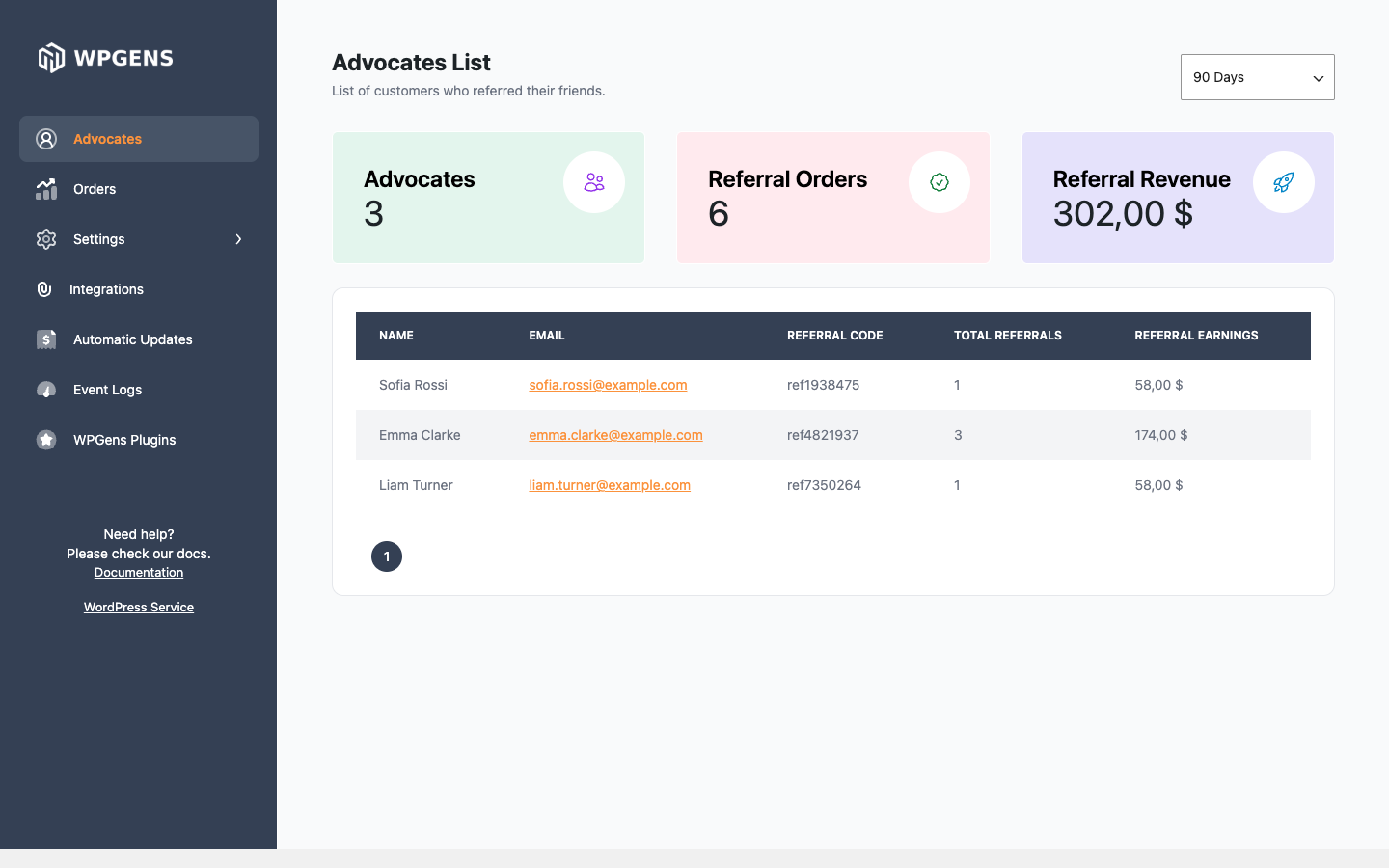
| Item | What it shows |
|---|---|
| Advocates | How many advocates had a referral order in the period. |
| Referral Orders | How many orders came through a referral link or code. |
| Referral Revenue | The total of those orders. |
| Name, Email | The advocate. Guest advocates show the name and email they entered. |
| Referral Code | The advocate’s code. |
| Total Referrals | Referral orders that counted toward a reward. Orders stopped by fraud checks, the minimum order or existing-customer rules aren’t counted. |
| Referral Earnings | The total of the friends’ orders that counted. This is revenue the advocate brought in, not the value of their rewards. |
The three totals at the top include referral orders of every status, including Failed, Cancelled and Refunded. Use the Orders screen to see each order’s status.
Developers can limit the statuses with the wpgens_raf_advocates_order_status filter, which receives the list of statuses and the number of days.
Orders
Orders lists every order that came through a referral, newest first, 20 per page.
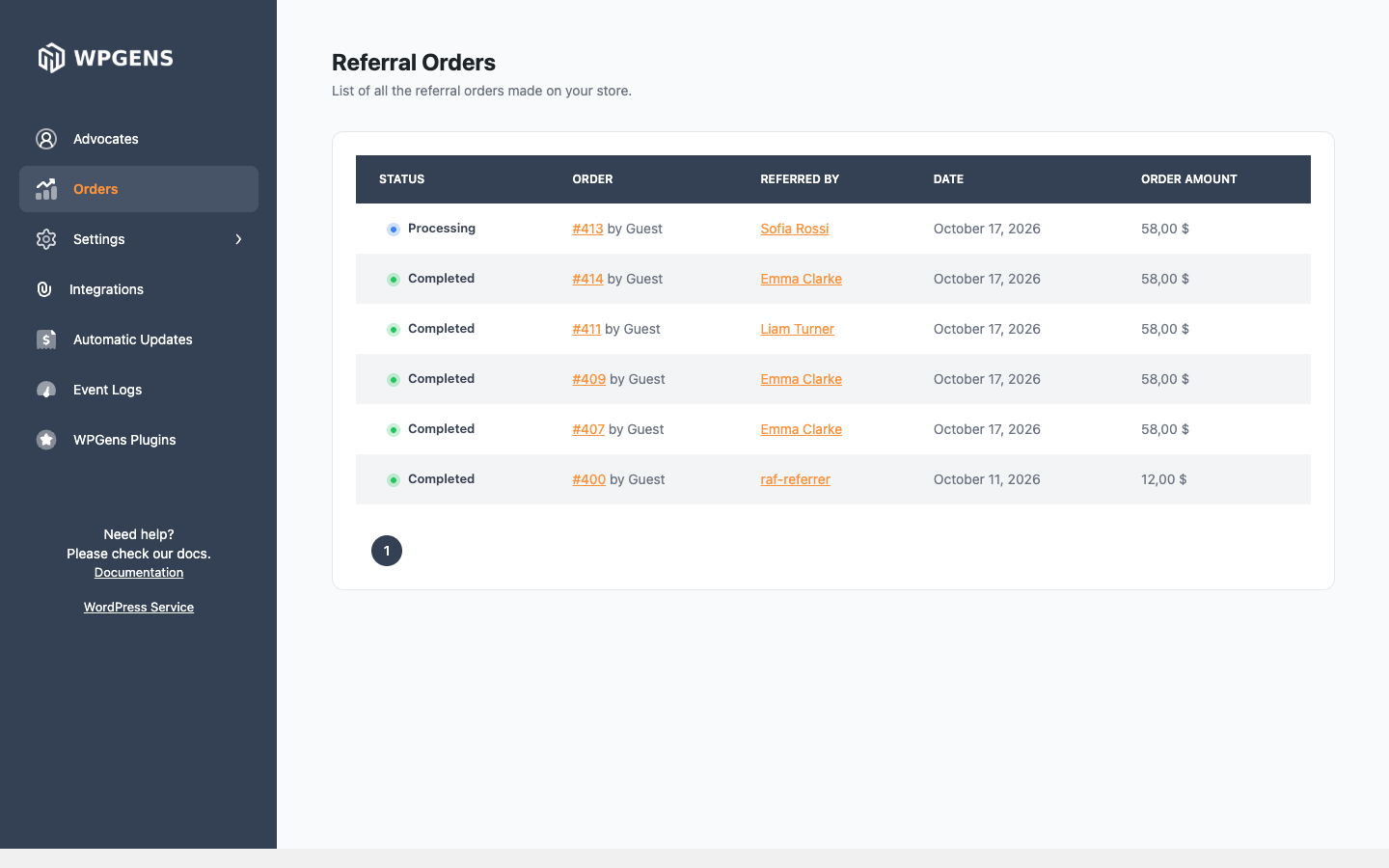
| Column | What it shows |
|---|---|
| Status | The order’s current status. |
| Order | The order number and the customer, or “Guest”. |
| Referred By | The advocate. Click to open their user profile. Guest advocates show their code or email. |
| Date | When the order was placed. |
| Order Amount | The order total. |
To see why an order did or didn’t earn a reward, open the order and look at the Refer a Friend box. See How fraud protection works for what each note means.
Event Logs
Event Logs is a history of everything the plugin did, newest first. Check it when a customer says they didn’t get a coupon.
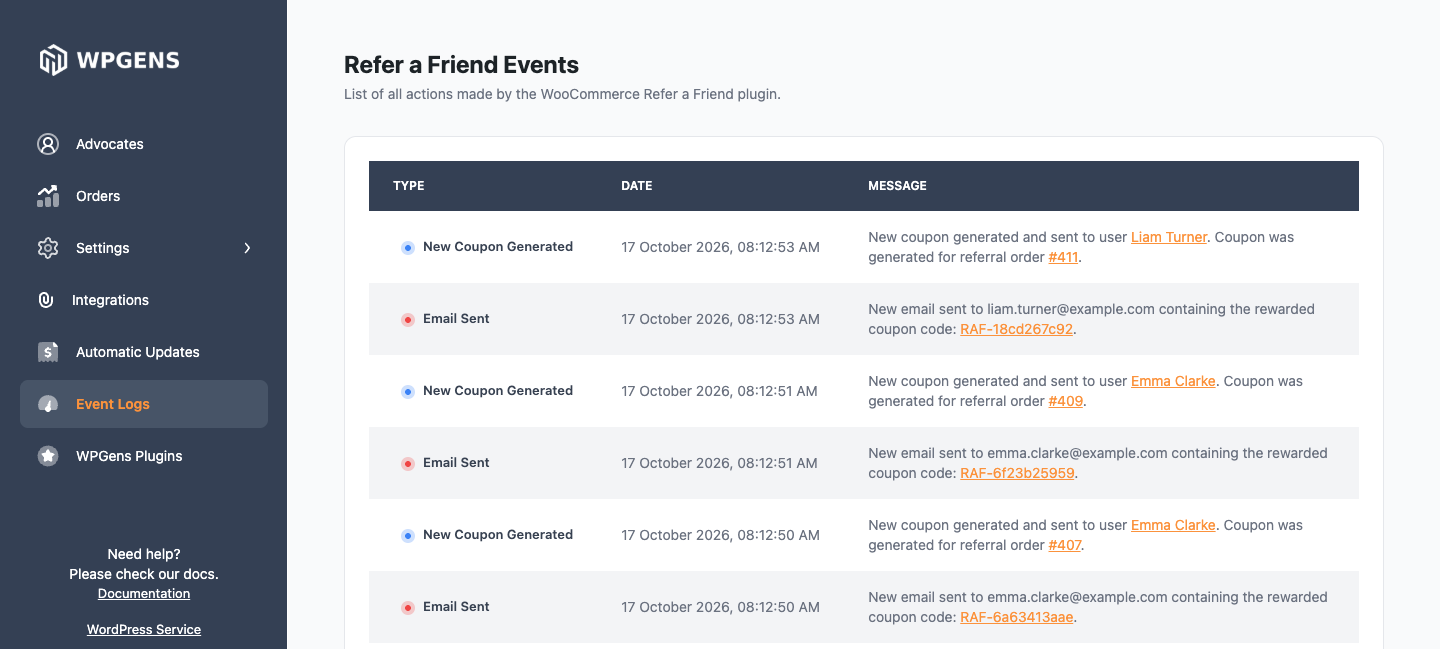
| Event | When it’s logged |
|---|---|
| New Order | A referred friend placed an order. Includes the fraud check result. |
| New Coupon Generated | A reward coupon was created. |
| Email Sent | A coupon email was sent, with the coupon code. |
| Coupon Applied | A friend’s discount was applied in the cart. |
| Email Share | An advocate shared their link by email. |
| User Referred | A referred friend registered, or placed an order. |
| Subscription Renewal | Referral coupons were applied to a subscription renewal. |
“Email Sent” means WordPress handed the email to your mail server. If the customer still didn’t receive it, see Emails not arriving.
Orders placed before you updated to version 4 may not have events. To add them, use Generate missing logs. See Refer a Friend tools.
WooCommerce Reports chart
The plugin also adds a Refer a Friend tab to the older WooCommerce → Reports screen, with a chart of referral sales by date. That screen reads orders the old way, so on stores using High-Performance Order Storage it can be empty unless compatibility mode is on. Use the Advocates and Orders screens instead.
To get referral orders into a spreadsheet, export orders from WooCommerce → Orders with an order export plugin and include the _wpgens_raf_id order meta field. It holds the advocate’s referral code.