Refer a Friend adds four tools to WooCommerce → Status → Tools. Scroll down to the ones that start with Refer a friend.
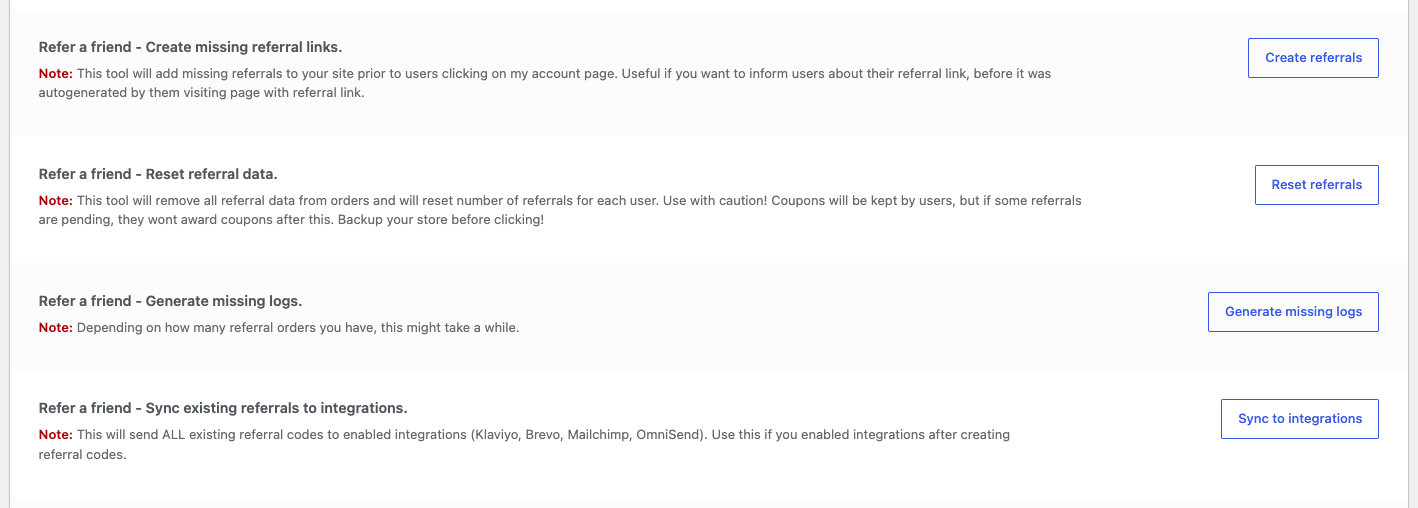
| Tool | Button | What it does |
|---|---|---|
| Create missing referral links | Create referrals | Creates a referral code for every user who doesn’t have one. Existing codes don’t change. |
| Reset referral data | Reset referrals | Removes the referral information from orders and sets every advocate’s referral count back to 0. |
| Generate missing logs | Generate missing logs | Adds Event Logs entries for older referral orders and coupons that have none. |
| Sync existing referrals to integrations | Sync to integrations | Sends every referral code to the email integrations you’ve turned on: Klaviyo, Brevo, Mailchimp and Omnisend. |
Create missing referral links
Use it before emailing all customers their referral link, or before exporting codes. It processes 1,000 users at a time. If you have more, click it again until it reports 0 codes. See Generate referral codes for existing customers.
Reset referral data
You can’t undo a reset. Back up your database first.
Use it when you start the program over, for example after testing on a live store. It:
- removes the stored referrer from orders, so they no longer appear as referral orders;
- sets every advocate’s referral count to 0, which restarts Reward every Nth referral and reward caps.
It doesn’t delete referral codes, coupons that were already created, or Event Logs. Delete test coupons in Marketing → Coupons.
On stores using WooCommerce’s High-Performance Order Storage, the reset may not remove the referral information from orders. The referral counts are still reset.
Generate missing logs
Use it if Event Logs is missing earlier referrals, for example after updating from a very old version. Large stores can take a while. Don’t click it twice.
Sync to integrations
Use it right after connecting Klaviyo, Brevo, Mailchimp or Omnisend, so customers who already had codes get them in your email platform too. New codes sync automatically after that. See Integrations overview.