Last updated
This page lists every setting on WooCommerce → Refer a Friend → Settings → Email Settings. The email text itself is edited in WooCommerce. See Emails overview.
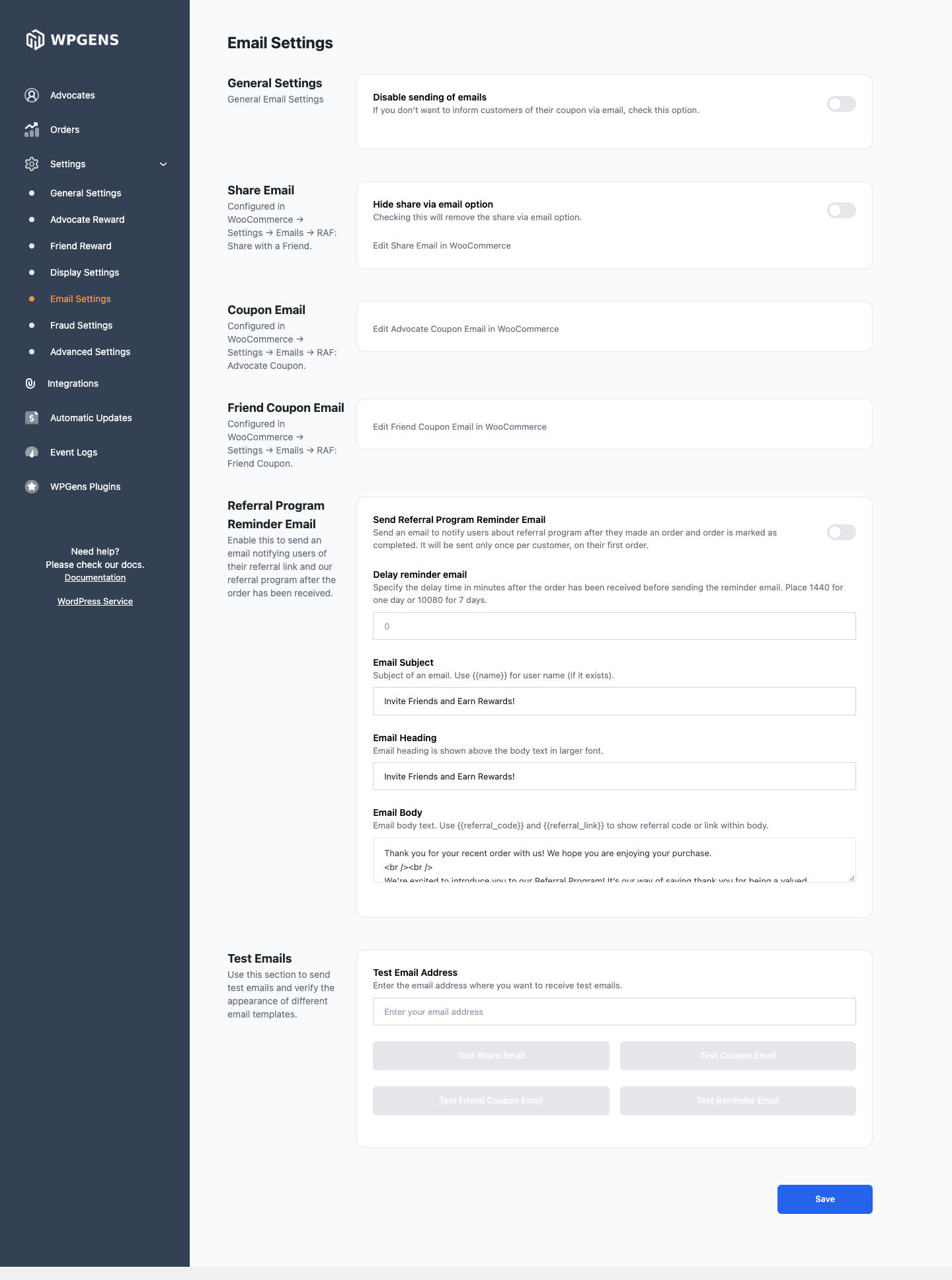
General Settings
| Setting | What it does | Default |
|---|---|---|
| Disable sending of emails | Stops the advocate and friend coupon emails. Coupons are still created and shown in My Account → Refer a Friend. | Off |
Share Email, Coupon Email and Friend Coupon Email
| Setting | What it does | Default |
|---|---|---|
| Hide share via email option | Removes the share by email form from the referral sections. | Off |
| Edit Share Email in WooCommerce | Opens RAF: Share with a Friend in WooCommerce. | |
| Edit Advocate Coupon Email in WooCommerce | Opens RAF: Advocate Coupon. | |
| Edit Friend Coupon Email in WooCommerce | Opens RAF: Friend Coupon. |
Referral Program Reminder Email
| Setting | What it does | Default |
|---|---|---|
| Send Referral Program Reminder Email | Emails customers about the referral program after their first order. | Off |
| Delay reminder email | Minutes to wait after the order reaches the reward status. 1440 is one day, 10080 is seven days. |
0 |
| Email Subject, Email Heading, Email Body | The reminder’s starting text. | “Invite Friends and Earn Rewards!” |
Once you save RAF: Reminder in WooCommerce → Settings → Emails, the text there is used and these three fields are ignored. Edit the reminder in WooCommerce to avoid confusion.
See Reminder email for who gets it and when.
Test Emails
| Setting | What it does |
|---|---|
| Test Email Address | Where test emails go. |
| Test Share Email, Test Coupon Email, Test Friend Coupon Email, Test Reminder Email | Sends that email with sample data. You should see “Email sent. Check your mailbox.” |