Last updated
Revenue First Analytics deducts refunds automatically. A partial refund lowers the order’s recorded revenue to the net amount, and a full refund, a cancellation, a failed payment, or trashing or deleting the order removes the conversion entirely. WooCommerce Subscriptions renewal orders are never counted as new conversions. Because every order is stored on its original order date, these changes update past dates in your reports.
What happens to the recorded revenue after a sale?
When an order converts, the plugin writes one revenue row with the order total minus anything already refunded (see How Sales Are Attributed to Traffic Sources). From then on it listens to WooCommerce for changes to that order and keeps the row in sync.
| Event in WooCommerce | Effect on the report |
|---|---|
| Partial refund | The order’s revenue drops to the order total minus the total refunded. The order still counts as one order. |
| Full refund (net amount reaches zero) | The revenue row is deleted. Revenue and the order count both drop. |
| Status changed to Refunded, Cancelled or Failed | The revenue row is deleted, along with the order’s purchase event used by goals and funnels. |
| Order moved to the trash or deleted | Same as a cancellation: the revenue row and purchase event are removed. |
| Status moved backwards to On hold or Pending payment | Nothing changes. The conversion stays recorded. |
| Order reaches the conversion status again later | If the conversion had been removed, it is recorded again. If it is still recorded, nothing is added. |
How are partial refunds deducted?
The plugin hooks woocommerce_order_refunded. Every time you issue a refund from the order screen, it recalculates the net amount as the order total minus the total refunded so far and updates the stored revenue. The recorded products, channel and date are not touched.
If the net amount reaches zero, the revenue row is deleted and the order’s tracking flags are cleared, so a fully refunded order no longer counts as an order either. A refund issued on an order that was never recorded as a conversion (for example one that never reached the counting status) has no effect.
What happens to cancelled and failed orders?
The plugin listens to the Refunded, Cancelled and Failed status transitions, plus order trashing and deletion. When any of these happens to an order that was recorded as a conversion, the plugin:
- Deletes the revenue row, so the order’s revenue and the order count disappear from every report.
- Deletes the order’s
purchaseevent, so goals and funnels stop counting the reversed sale. See Building Conversion Funnels. - Clears the order’s tracking flags, so the order can be recorded again if it is later restored and reaches the conversion status.
A cancelled or failed order that never converted in the first place is ignored. Nothing is recorded and nothing needs removing.
What if an order moves backwards in status?
Only Refunded, Cancelled, Failed, trash and delete reverse a conversion. Moving a Completed order back to On hold, Pending payment or Processing does not remove it from the reports. The order keeps its _rfa_tracked flag, so when it becomes Completed again it is not counted a second time.
If you need such an order out of the reports, cancel it or refund it, and create a new order if the sale is still going ahead.
Why are subscription renewals not counted as conversions?
With WooCommerce Subscriptions, the first order that starts a subscription is a real conversion and is attributed like any other order. The renewal orders WooCommerce creates afterwards are repeat billing, not new customers won by a traffic source, so the plugin skips them. It checks each order with wcs_order_contains_renewal() before recording it, and a renewal order gets no revenue row and no purchase event.
There is no setting for this in the dashboard. Developers who want renewals counted (for example to see lifetime revenue per channel) can enable them with a filter:
add_filter( 'wpgens_rfa_track_renewals', '__return_true' );The filter receives the order as its second argument, so you can also return true only for some orders. Renewal orders recorded this way are attributed to the subscriber’s first visit, like any other order from the same visitor.
Why did revenue for a past date change?
Each revenue row is stored with the date the order was created, not the date it reached the conversion status and not the date of the refund. An order placed on March 3 and completed on March 5 shows under March 3. A refund issued on April 1 lowers March 3, and a cancellation on April 1 removes the order from March 3.
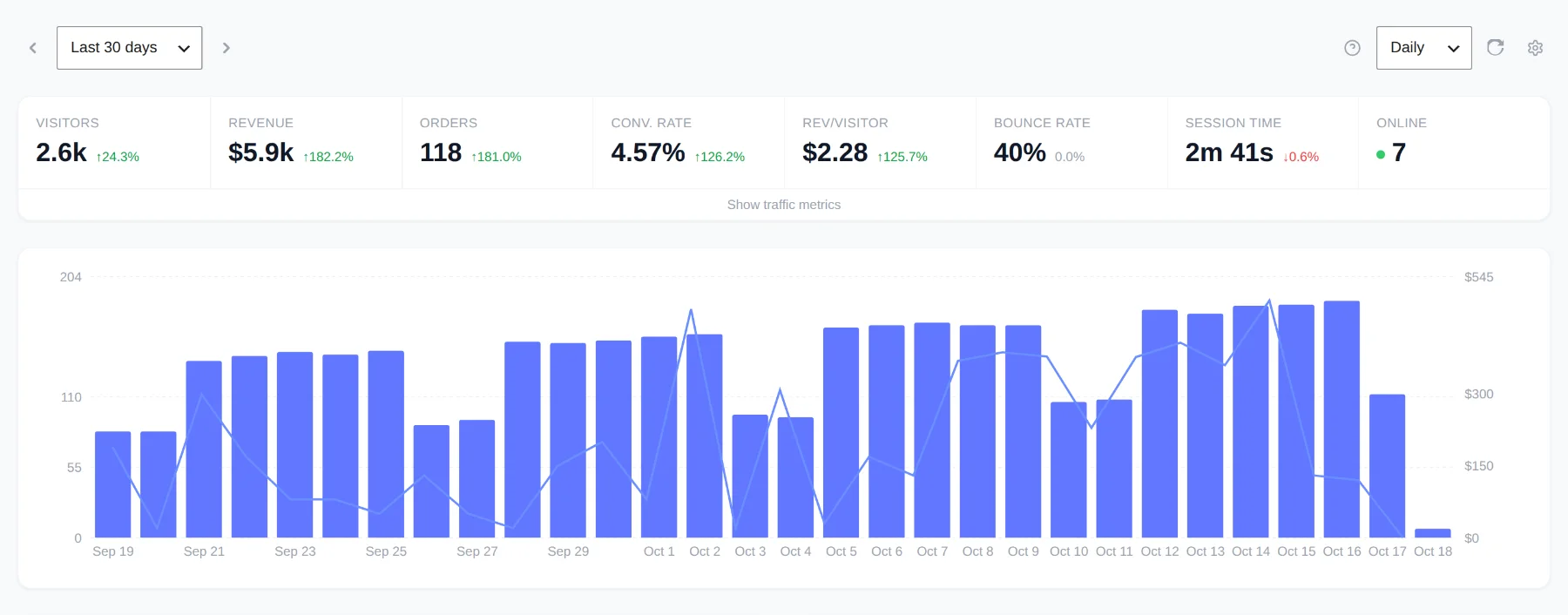
This keeps the report honest about which day’s traffic produced the sale: the revenue sits next to the visitors who generated it. It also means the metric tiles, the chart and every breakdown card for a past period can go down after you look at them. When you compare the plugin with WooCommerce’s own reports, which may book refunds on the refund date, expect differences on individual days even when the totals agree. More on this in Troubleshooting: No Data, Everything Direct or Missing Orders.
Does the same apply to Easy Digital Downloads?
Yes, with EDD’s own hooks. Partial refunds reduce the payment’s amount, full refunds and the Refunded, Revoked, Failed, Cancelled and Trash statuses remove it, and the payment date is used for reporting. The details are in Tracking Easy Digital Downloads Sales.