The dashboard is where you analyse performance across all orders. Open it from Marketing > UTM Tracker in the WordPress admin.
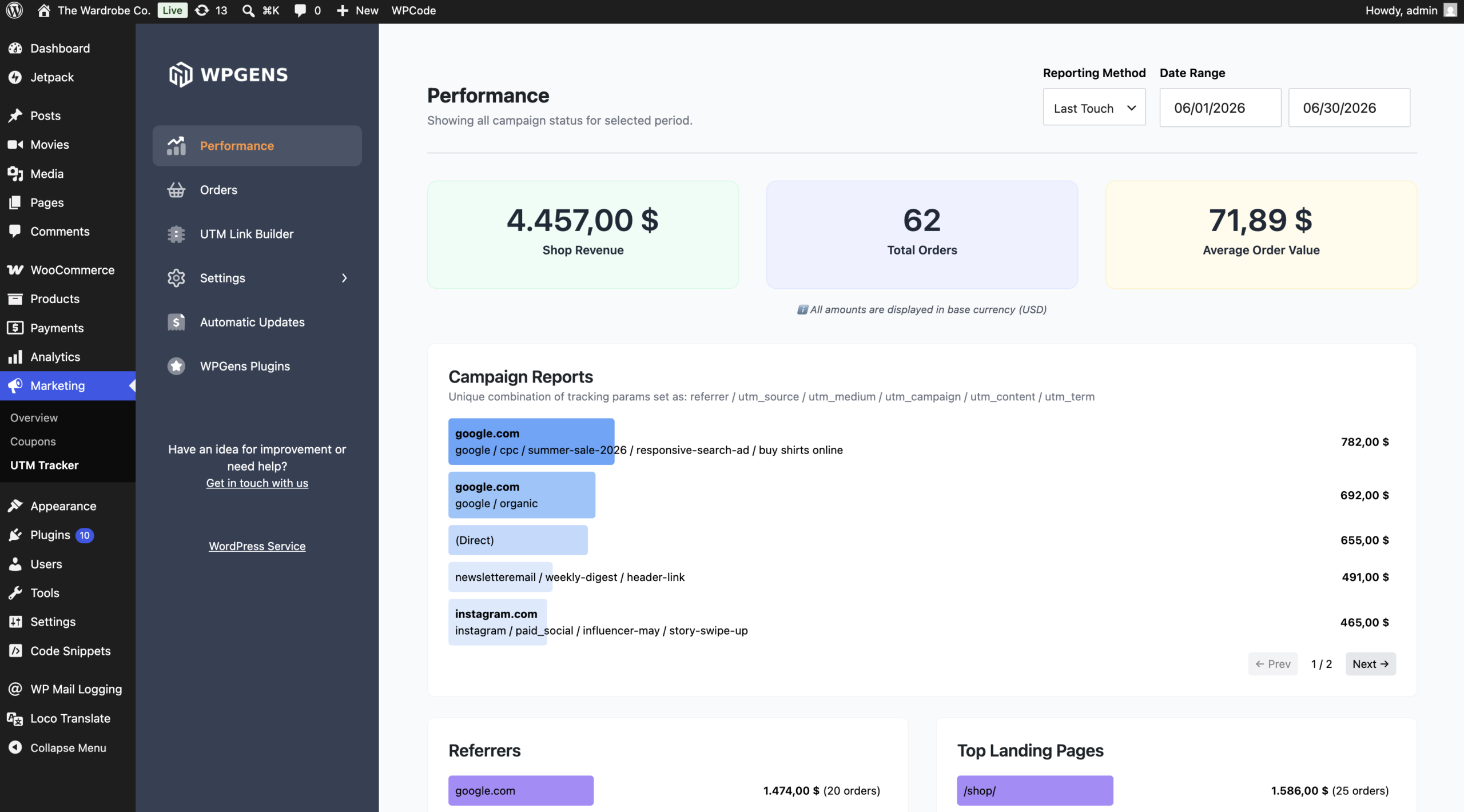
Campaign Reports
The Campaign Reports screen summarises your sales by marketing source. At the top you will see headline metrics:
- Total Orders
- Shop Revenue
- Average Order Value
Below the metrics, your orders are broken down by Campaign, Source, Referrers, Countries, Browsers, Top Landing Pages, and date of visit, so you can quickly see what is working.
Filtering reports
- Date Range – choose the period you want to analyse.
- Report Filters – narrow the data to a specific source, medium, campaign, and more. Active filters are listed so you always know what you are looking at.
- Reporting Method – switch between WPGens tracking data and WooCommerce Order Attribution (see Plugin Settings Explained).
Orders
The Orders screen lists every order recorded since the plugin was activated, with its order ID, amount, and source details. Use the same date range and filters to drill down to the exact orders behind a number in your reports.
Multi-currency
If your store sells in more than one currency, revenue totals are handled correctly across currencies so your reports stay accurate.