The fastest way to see where a single order came from is right on the order itself.
The Order Source box
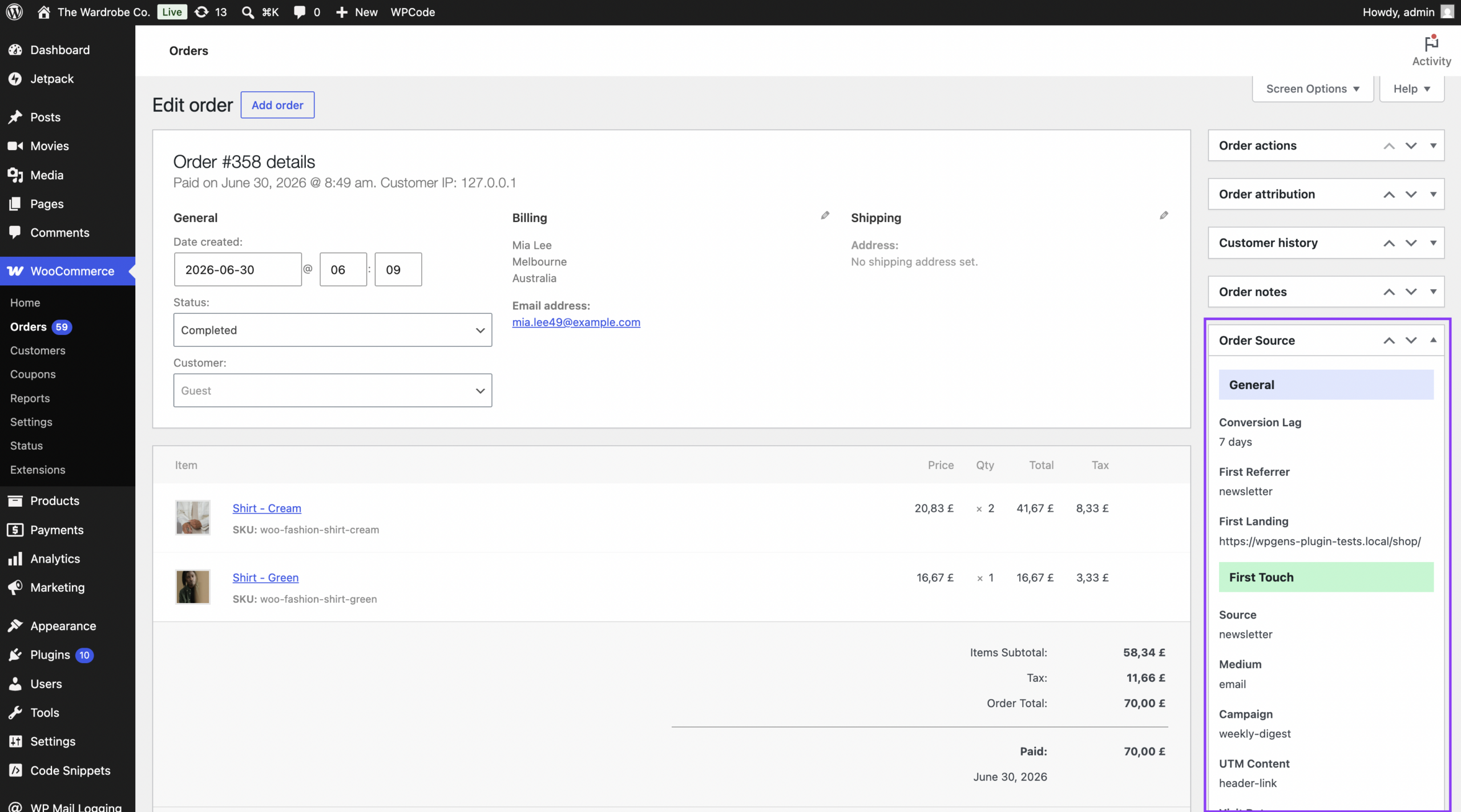
Open any order under WooCommerce > Orders. In the right-hand column you will find an Order Source box with three sections:
- General – Conversion Lag, First Referrer, and First Landing page.
- First Touch – the full set of fields for how the customer first found you.
- Last Touch – the fields for the visit that led to the order. If it is identical to First Touch, you will see “Same as first.”
Only fields that were actually captured are shown. If something is missing, it was not present in the customer’s link or session.
The Source column in the Orders list
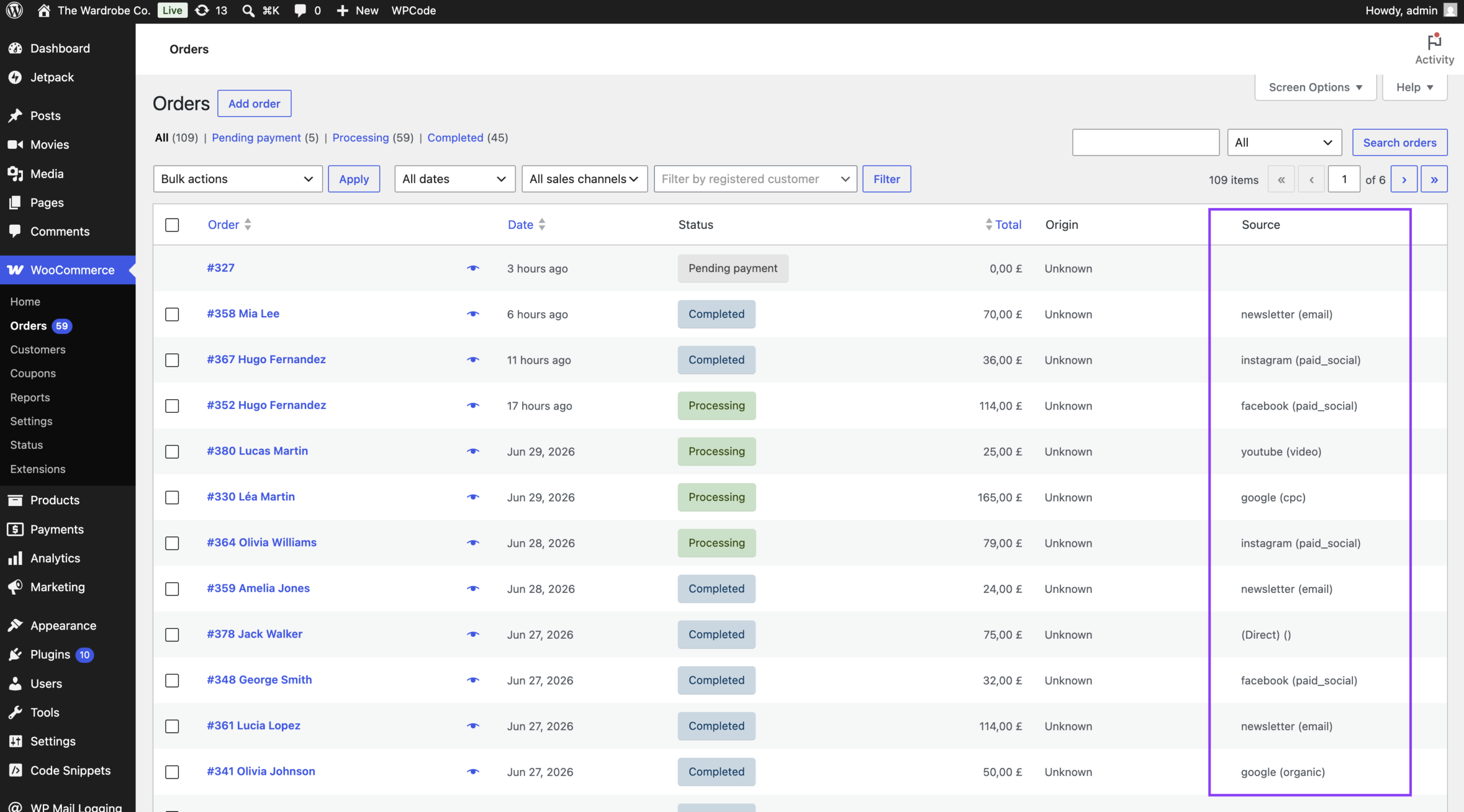
The Orders list (WooCommerce > Orders) gains a Source column showing each order’s last-touch source and medium at a glance, for example google (organic) or facebook (cpc). This lets you scan many orders without opening each one.
Works with High-Performance Order Storage
Both the Order Source box and the Source column work whether your store uses the classic order storage or WooCommerce’s newer High-Performance Order Storage (HPOS).